
You know that LinkedIn notification that says ‘someone viewed your profile’, but doesn’t tell you who? That is the same challenge B2B marketers face with website traffic.
Every day, potential buyers visit your site, research about you, and even read your content. But 97% of those visitors leave without identifying themselves. These anonymous visitors could be your next clients, but if you don’t know who they are, you can’t follow up.
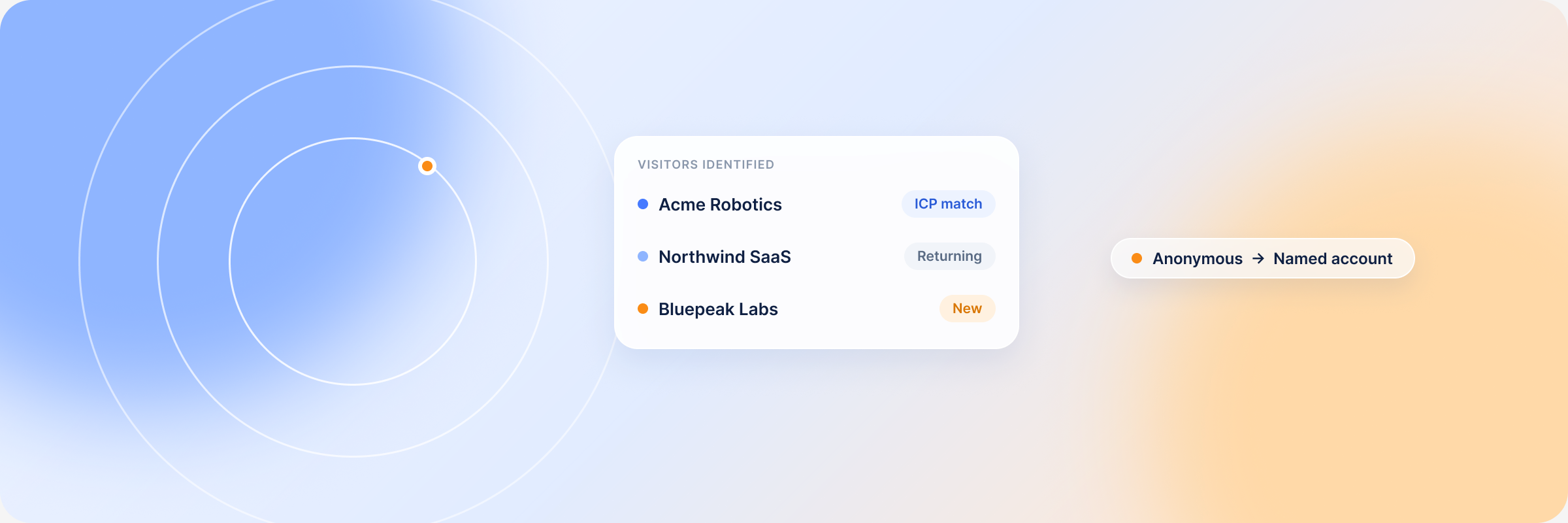
With website visitor identification tools, you can identify many of the companies visiting your site and their buying intent. This article will show you how to identify those companies, find the ones that matter most, and turn website visits into pipeline.
Can You Identify Companies Visiting Your Website?
Yes, you can identify companies visiting your website using B2B website visitor identification software. These tools identify a portion of users who visit your site and reveal the companies they work for. This is much safer than collecting personal data of every individual on your site without consent.
What It Means to Identify Companies Visiting Your Website
These tracking tools use reverse IP lookups to match visitors’ IP addresses to specific organizations. You get the company name, industry, location, and size. They also show the time they spend on your site, the pages they visit, and what they are interested in. This helps sales and marketing teams identify the accounts that are more likely to buy and prioritize companies worth their time.
Note: No website visitor identification platform can identify every single individual or company on your website. Some visitors browse from home networks or from locations where identification is impossible. And with many people moving to remote work, it’s difficult to identify everyone. However, these platforms can still identify enough high-value clients to improve pipeline.
Company identification alone does not close deals. If you want to know how to turn these visitors into clients, read more on anonymous visitor identification.
Why Company-Level Website Visibility Matters for B2B Teams
Company identification reveals the hidden demand from the 97% of website visitors who leave without filling out forms. Here is how B2B teams use this information:
Sales team
Find and engage ready-to-buy accounts early: When you know who your visitors are, it’s easy to know their intent. So once you identify high-intent buyers, you can reach out to them while they are still looking and close deals faster. This kind of timely outreach is what separates B2B sales teams that win from those that chase cold lists.
Better sales pitches: You can easily identify the needs of the visitors based on their website visitor activity, and personalize sales pitches to meet those needs.
Marketing teams
Create better retargeting audiences: You can use the firmographic data to filter traffic and find the right companies that match your ICP. If you save these filters and sync the list to your CRM, you’ll always have an up-to-date view of high-value clients visiting your site. You’ll also get alerts every time a high-value prospect returns to your page, so you can strike while the lead is still hot.
Strengthen content strategy: Visitor identification makes it easy to trace the campaign that brought the visitor to your page and the content that resonates with them most. This guides content roadmap and budget allocation, and supports stronger b2b lead generation over time.
 MCP · Early access
Which ICP-fit companies saw your ads, visited your site, and still aren’t in your CRM?
That question crosses three systems, so nothing answers it today. DemandSense MCP joins LinkedIn ad exposure, identified website visitors and CRM state into one buyer record — before your AI assistant ever sees the data.
Join the waitlistFree during early access. Read-only, no card, 2-minute application. Onboarding runs in small batches.
How to Identify Companies Visiting Your Website Step by Step
Most website visitor identification platforms use reverse IP to identify anonymous visitors. The setup is very simple and can be completed in 5 minutes as follows:
Step 1. Use B2B website visitor identification software
Pick a tool that can identify visitors both at the contact and company level without breaking privacy laws. The right identification tool should integrate easily with your CRM and also show buyer intent.
Step 2. Add the tracking script to your website
Every client gets a unique tracking code that you can add directly to your website’s global header. Once installed, the software starts to track website activity immediately, but the first lead often appears within 12-24 hours post-installation.
Step 3. Match website visits to company data
The tool collects visitors’ IP addresses and matches them against the business database to identify companies and individuals. You will see the company name, industry, size, and location when a match is found, so you can see which company sits behind each session.
Step 4. Review company details and website activity
Look at the company’s details. The pages they visited. How long they stayed on each page. And what they are interested in. You can also tell if the people visiting from those companies are decision-makers or junior employees and target them accordingly.
Step 5. Filter companies by ICP, intent, and CRM context
Use the firmographic filters to find specific companies that match your ICP and separate them from other browsers. Then, categorize those accounts based on intent (high, mid, and low intent), ready for retargeting. You can also connect the list to your CRM so you can see whether the accounts are existing customers or a new opportunity for sales.
Step 6. Route high-priority companies to sales or campaigns
Once you have grouped the audience based on intent, forward high-intent prospects to the sales team and nurture the rest with educational content. Don’t prioritize accounts that visit your website once, even if they landed on your pricing page. Look at their behavioral data. Accounts with a high number of visits that also match your ICP should get first priority.
Remember to exclude existing customers and low-fit audiences during retargeting campaigns so you don’t waste budget on them.
What Data Can You See About Companies Visiting Your Website?
Company data
- The company name, size, and industry type
- The tech stack they use
- Intent signal
Contact data (mostly supported in US regions)
- The job title and name of the person who visited the website
- Their specific role and department in the company
- Verified work emails and other contact details
Behavioral data
- Page views: the specific pages they visited, time spent on each page, and how long they interact with your website
- The number of times the company has visited your page (return visits and total company visits)
- The channel/source that brought the visitor to your page, whether that’s organic search, Google Ads, or LinkedIn
How to Decide Which Visiting Companies Are Worth Sales Attention
Not every visitor on your page is ready to buy. Always filter your audience based on intent and forward the high-intent buyers to sales. High-intent buyers include companies that visit your pricing or demo page. Look for accounts that show several buying signals at the same time. For example:
- They match your ICP
- They revisit your website often
- Several people from the same account visit your website
- And they engaged with your ads before visiting the website
Any account that visits high-value pages and shows most of these signals genuinely has interest in what you have to offer and should be a priority.
As for mid and low-intent buyers, you should nurture them further with educational content before pitching your product to them. If you’re still unsure about how to separate high-intent from low-intent buyers, read more on the 5 Types of Website Visitors Worth Your Attention.
How to Turn Company Website Visits into B2B Pipeline
Once you’ve identified your website visitors, what you do next determines if the audience moves to your pipeline or if they ghost you. Don’t be so quick to send those sales emails. Yes, people who visit your site already have some interest in your business. But what if someone clicked by accident, or was just doing research, and ended up on your page? If you send sales emails to such people, you risk losing them completely.
Instead, score accounts based on intent and ICP fit and ensure each gets the attention they deserve:
- High-intent – These are ready for sales
- Mid-intent – They are warm leads that need to be nurtured with gated content and webinars
- Low-intent – These should be treated as a cold audience and are to be targeted in awareness campaigns
Offer content that the buyers actually want: Different content works at different points in the marketing funnel. Ensure the content you are passing along aligns with the buyer’s needs. The content should also be of high quality since current B2B buyers are more skeptical than ever. No, generic whitepapers don’t cut it anymore. Buyers want content that gives them guidance, not more information.
You can find more smarter ways to nurture your audience through the funnel in our website visitor nurturing guide.
Website Visitor Identification Tools vs Standard Web Analytics
Standard web analytics tools like Google Analytics 4 only show aggregate data: total page views, traffic, and session durations. But they can’t tell you the specific people or companies that caused that b2b website traffic, or the ones the sales team should focus on. Modern website visitor tracking software does exactly that.
These website visitor tracking tools identify your visitors by name, company, and intent, score them, and alert sales on new sales-ready opportunities while people interact with your website in real time.
| Standard web analytics (e.g. GA4) | Website visitor identification tools | |
|---|---|---|
| What you see | Aggregate page views, traffic, and session durations | The specific companies that visit your website, plus contact-level detail where permitted |
| Identifies companies? | No – anonymous website traffic only | Yes – uses IP lookup to identify companies visiting your site |
| Visitor data | Channel and behaviour at the account-total level | Firmographic, behavioural, and intent data to identify and score each account |
| Intent scoring | None | Scores visitors by intent and flags sales-ready accounts |
| Sales alerts | None | Real-time visitor alerts when a high-fit account returns |
| CRM integration | Limited | Syncs visitor data directly into your CRM |
| Best for | Measuring overall website traffic trends | B2B lead generation and prioritising the right companies |
Because most website visitor identification platforms integrate easily with CRMs, you can connect your ad campaigns, website, and pipeline in one dashboard. This makes it possible for you to see the entire buyer’s journey and spot the campaigns that are working and the ones that are not.
When to Use a Website Visitor Identification Platform
If your website has traffic but you don’t know which companies visit your website or whether you are reaching the right audience, then you need a website visitor identification tool. The modern B2B buyer’s journey is complex, and spray-and-pray tactics will only lead to wasted spend.
These tools can track the buyer’s journey from the first click to the closed deal, even if the deals happen months later. With this, you can prove your LinkedIn campaign ROI. Plus, once you identify your visitors, you can use filters to exclude low-fit accounts and ensure every spend goes to reaching your ICP.
Additionally, when you are not sure whether your content is influencing pipeline or not, visitor identification tools show the articles that drive prospects to high-intent pages and prove which content matters most. Many B2B organizations also lean on this kind of b2b identification to pair anonymous website data with their Google Ads and LinkedIn campaigns.
How DemandSense Helps Identify Companies Visiting Your Website
DemandSense can identify the companies that visit your website by name, size, revenue, and industry type. And in legally permitted regions, like the US, it can ID individual visitors by name, job title, and seniority — even matching them to their LinkedIn profiles. It stands out because it combines webID with LinkedIn ads tracking and revenue attribution in one platform.
Most platforms can identify website visitors, but they cannot create ready-to-use audiences from them. DemandSense scores visitors by intent and builds audience segments ready for retargeting and sales. It will even alert you every time a new opportunity matching your ICP shows up on your website, so you don’t miss prospects.
Anonymous traffic is the biggest blind spot in B2B marketing. Once you know who your visitors are, everything else falls into place. You see everything that’s happening in your funnel and how best to approach prospects to close more deals. Website visitor identification tools cannot identify every single visitor, but they will give you a clearer view of who your visitors are and how to find new pipeline opportunities from that traffic.
Frequently Asked Questions About Website Visitor Identification
It is the process of revealing the b2b companies that visit your website and leave without identifying themselves. Website visitor identification platforms like DemandSense use IP tracking tools to show the company name, industry, size, and location of these visitors. This helps B2B teams understand who their visitors are and how to turn website traffic into sales opportunities.
Not every website visitor is ready for sales outreach. The first step is knowing what the visitor needs, then reaching out to them with personalized messaging that addresses those needs. Nurturing website visitors with educational content makes it easy for B2B teams to build trust with their site visitors without being pushy.
The sales team should focus on high-intent buyers. These are accounts that visit the pricing page, comparison page, or those that request demos. Different types of website visitors require different levels of attention. Always personalize your sales pitches to match the needs of your target account.
Look at their behavioral signals. How frequently do they visit? What pages are they interested in? A company with several return visits that has also checked your pricing page is someone looking to buy. Understanding these intent signals helps teams identify accounts that are ready to buy and reach out to them when the lead is still hot.
WebID links ad engagement to website activity, so you can see the LinkedIn campaigns that drove those visitors to your website in the first place. This makes it easier to identify working campaigns, build high-quality retargeting audiences, and connect LinkedIn performance to revenue in your CRM. Many B2B teams use website visitor identification with LinkedIn ads to keep track of the complex buyer journey, among other use cases.