
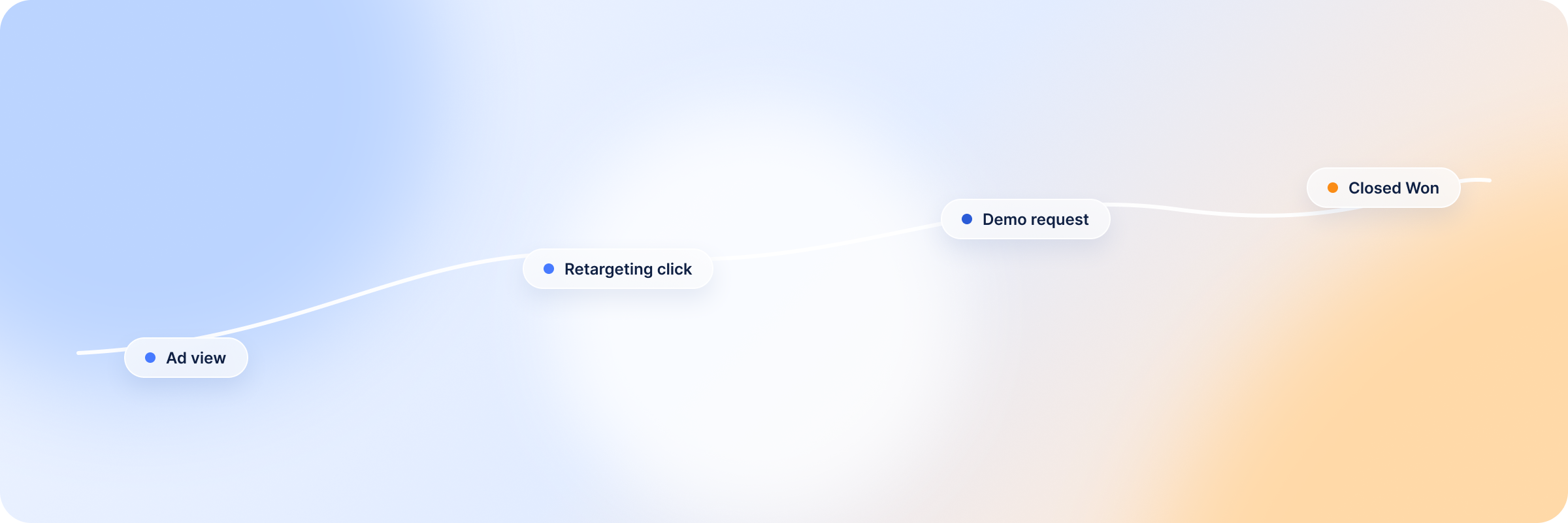
ABM programs generate more signal than most teams know what to do with. Target account impressions, content engagement, ad clicks from named accounts — it’s all there. And yet only 52% of companies measure the ROI of their ABM efforts. The majority are running account-based programs with no clear line back to pipeline or revenue.
This article shows how to close that gap using data you’re already generating inside LinkedIn: what the platform can tell you about target accounts, how to connect that signal to website and CRM activity, and how to turn it into the kind of revenue attribution leadership will accept.
Why ABM Attribution Is Different From Standard B2B Attribution
If your ABM attribution looks like your demand gen attribution with an account filter applied, you are measuring the wrong things.
Three reasons the two need different approaches:
ABM Measures Accounts, Not Just Leads
Standard attribution asks a narrow question: did this person convert? That’s a fine question for demand gen, where lead volume is the goal. It’s the wrong one for ABM. When you’re running a program against a list of named accounts, what you need to know is whether the account is engaging, whether the right people inside it are paying attention, and whether the overall pattern looks like a company moving toward a decision. Shifting the unit of measurement from person to account changes everything downstream.
Standard attribution counts the form fill. ABM attribution reads the pattern of interactions coming out of an account. Doing that properly means aggregating every touchpoint (ad clicks, content engagement, page visits, event attendance) across all contacts tied to an account, then reading them together instead of in isolation. Individual conversions still matter, but they’re no longer the primary unit of measurement. The account-level ABM metrics are.
The Multi-Stakeholder Problem
Picture this. Your LinkedIn ads reach the VP of Marketing at a target account. She engages, clicks through, reads the content.
But the decision needs sign-off from the CFO, who saw two of your ads last month and never clicked, and from the VP of IT, who has landed on your website three times from a retargeting campaign. None of that shows up in a contact-level attribution report, because neither of them is a named contact in your CRM.
The engagement happened. The measurement missed it.
Getting past this means moving beyond named-contact tracking and building a model that captures account-level engagement across everyone involved in the decision, whether or not they’ve ever filled out a form.
Long Sales Cycles Make Standard Windows Useless
Standard attribution windows weren’t built for ABM. If your average enterprise deal takes nine months to close, even LinkedIn’s default 90-day window sees only the last third of the journey your ads influenced. The impressions that built awareness in month two, the content engagement that signaled research intent in month five, the multi-stakeholder exposure that kept you present through the whole evaluation — none of it survives the cutoff.
So LinkedIn looks like it did almost nothing. The campaigns didn’t underperform; the measurement just couldn’t see far enough back. Which is why connecting LinkedIn impressions to pipeline starts with the window, not the model.
What LinkedIn Ad Data Actually Tells You About Target Accounts
Before adding any new tooling or rebuilding your attribution stack, it is worth understanding what your existing LinkedIn data is already telling you about target accounts. Most teams are sitting on more signals than they realize. The problem is knowing where to look and what each metric actually means at the account level.
Account-Level Impression and Engagement Data
LinkedIn Campaign Manager breaks engagement data down by company, and for ABM teams that breakdown is far more useful than aggregate campaign metrics. Overall CTR and total impressions aren’t the numbers to watch. What matters is which target accounts are seeing your ads, how often, and whether that exposure is producing clicks and content engagement from people inside them.
An account with 20 impressions across several stakeholders in the last 60 days is telling you your brand is present in that buying environment. That’s a warmer signal than a form fill from a company you never targeted — and it belongs in your sales team’s outreach priorities, not buried in a Campaign Manager report nobody reads at the account level.
LinkedIn’s Company Engagement Report
The Company Engagement Report sits inside LinkedIn Campaign Manager, under Plan in the left navigation. To use it you need a Matched Audience built from your target account list, either uploaded as a CSV of company names or synced from your CRM.
Once that audience is live, the report shows how each company on your list is engaging with your ads over a period you choose: impressions served, clicks generated, and an engagement rate calculated at the account level.
Instead of aggregate campaign performance, you’re reading engagement ranked by company. An account near the top with a high engagement rate and steady impression volume is telling you that several people inside it are seeing your ads and some of them are acting. Sustained engagement from a named target account across a 60- or 90-day window is intent data. No third-party subscription, no new tool — it’s sitting inside the platform you already pay for.
What LinkedIn Data Can’t Tell You
Here’s what Campaign Manager can tell you: a target account picked up 40 impressions this month, generated four clicks, and sits at the top of your Company Engagement Report.
Here’s what it can’t. That two days after those clicks, three contacts from that account visited your pricing page. That one of them came back the following week and spent 12 minutes in your case studies. That a deal from that account opened in your CRM the same week engagement spiked.
| What LinkedIn Campaign Manager shows you | What it can’t show you |
|---|---|
| Account-level impressions and frequency | Whether those impressions led to independent research on your website afterward. |
| Clicks and content engagement by company | Which contacts from that account later visited your pricing, solutions, or case study pages. |
| An account-level engagement rate over a time period | Whether a deal from that account has opened in your CRM, and when it opened relative to engagement. |
| A ranked Company Engagement Report of your target list | Everything downstream of the ad — website behavior, CRM deal activity, and the sales process — is invisible to the platform. |
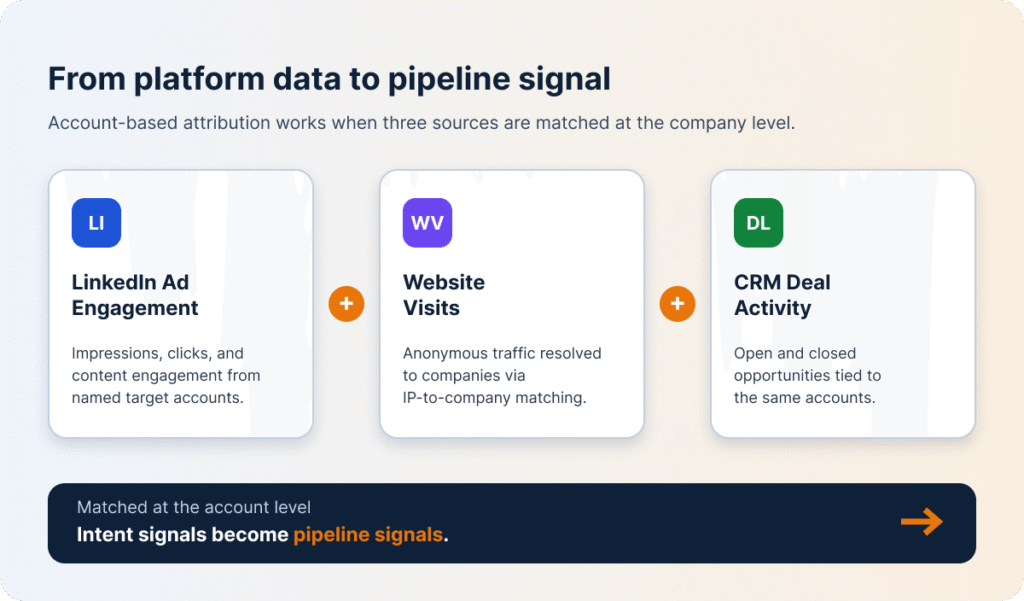
LinkedIn sees the ad interaction and stops. Everything downstream — your website, your CRM, your sales process — is invisible to it. Account-based attribution only works when those three sources are connected at the company level: LinkedIn engagement matched to website visitor behavior, then matched to CRM deal activity. That’s where intent signals turn into pipeline signals, and where the account engagement story becomes something you can put in front of leadership.
DemandSense is building exactly that connection, matching LinkedIn ad engagement to website visitor data and CRM deal activity at the account level.
Building an ABM Attribution Model on LinkedIn Data
Knowing what LinkedIn data can and can’t tell you is the foundation. Here’s how to turn it into a working attribution model:
| Step | What you do | Why it matters |
|---|---|---|
| 1. Define and map your target account list | Export your target account list as a CSV and upload it to LinkedIn Campaign Manager as a Matched Audience (typical match rate 70-85%), used as both a targeting layer and a measurement filter. | Turns campaign metrics into account-level signals tied to companies you deliberately chose to pursue. |
| 2. Track account-level engagement over time | Export the Company Engagement Report weekly or bi-weekly and record it against your target list in a simple tracking document. | Direction, not a single number, is what matters — rising engagement over consecutive periods flags accounts moving into active evaluation. |
| 3. Connect LinkedIn engagement to website behavior | Match LinkedIn account engagement to website visitor identification data that resolves anonymous traffic to named companies via IP-to-company matching. | Paid impression coverage followed by unprompted on-site research is one of the strongest intent signals available — no conversion event required. |
| 4. Map CRM activity against LinkedIn engagement | Pull open opportunities from the CRM and compare them against your top-engaging accounts to find accounts engaging with no corresponding deal. | Surfaces the pipeline hiding in your LinkedIn data — high multi-stakeholder engagement with no sales activity that warrants a marketing–sales conversation. |
| 5. Attribute pipeline with a long enough window | Set a window of at least 180 days based on your actual sales cycle; count any deal whose account generated LinkedIn engagement within it as influenced, then divide pipeline value by LinkedIn spend. | Produces an influenced ROAS figure that reflects how enterprise buying actually works rather than short e-commerce windows. |
Step 1: Define Your Target Account List and Map It to LinkedIn
Without a target account list mapped to LinkedIn, you’re measuring campaign performance against a broad audience and hoping the right companies are somewhere inside it. With one, you’re measuring engagement against the accounts your sales team is actively trying to close.
The mechanics are simple. Export the list as a CSV, upload it to Campaign Manager under Matched Audiences, and apply it as both a targeting layer and a measurement filter across your active campaigns. LinkedIn matches your company names against its database and typically returns a match rate of 70-85%. The accounts that match become your measurement universe.
From there, every impression, click, and engagement event recorded against that universe is an account-level signal tied to a company you deliberately chose to pursue. You stop asking how the campaigns performed overall and start asking how they performed against the accounts that matter — which is the only question ABM attribution needs to answer.
Step 2: Track Account-Level Engagement Over Time
Read engagement data once and you get a number. Read it on a schedule and you get direction, which is what ABM pipeline attribution actually runs on. An account at a 3% engagement rate this week means one thing if it was at 0.5% four weeks ago and something else entirely if it’s been flat at 3% for three months. The first looks like an account moving into active evaluation. The second looks like an account that knows who you are and isn’t going anywhere. You can only tell them apart if you’re pulling and recording the data on a consistent cadence.
Weekly or bi-weekly exports from the Company Engagement Report, logged against your target list in a simple tracking doc, build that longitudinal view. Prioritize the accounts with upward momentum across several consecutive periods. Those are the ones where LinkedIn engagement is tracking with rising internal interest, and where a well-timed sales touch is most likely to land on a receptive buying committee.
Step 3: Connect LinkedIn Engagement to Website Behavior
An impression tells you your ad was served to a target account. A website visit from that same account in the same week tells you the impression did something: it generated enough interest to prompt independent research.
Getting there means matching two data sources at the company level — LinkedIn’s account engagement data, and website visitor identification data that resolves anonymous traffic to named companies. Several tools handle this through IP-to-company matching, giving you a company-level view of who’s on your site whether or not anyone there filled out a form. Cross-reference that against your LinkedIn data and look for accounts appearing in both during the same period. Paid impression coverage followed by unprompted on-site research is one of the strongest buyer intent signals an ABM program can produce, and it doesn’t require a single conversion event.
Step 4: Map CRM Activity Against LinkedIn Engagement
Here’s the scenario this step exists to surface. A target account racks up 60 days of consistent LinkedIn engagement: 34 impressions across four job titles, seven clicks, and two visits to your solutions page in your website visitor data. No deal in the CRM. No record of sales outreach. No form submitted.
By every standard attribution measure, that account isn’t a pipeline opportunity. By every behavioral measure, it’s an account in active evaluation. This is the pipeline hiding in your LinkedIn data — missed not because the signal isn’t there, but because nobody is systematically checking LinkedIn engagement against CRM activity.
The check itself is simple. Pull your open opportunities and map them against the top-engaging accounts in your Company Engagement Report. Connecting LinkedIn activity to deal records in Salesforce or HubSpot automates it, though a manual export works fine. Accounts in both lists confirm that engagement is tracking with real pipeline. Accounts in the LinkedIn data but not the CRM are the ones to look at. Some will be absent for good reasons — wrong size, wrong timing, a deliberate decision not to pursue. Others are oversights: strong multi-stakeholder engagement, no sales activity, and a conversation between marketing and sales that should have happened weeks ago.
Step 5: Attribute Pipeline to LinkedIn With a Long Enough Window
Define the window first, then run the numbers. For enterprise ABM, that’s at least 180 days, set against your actual average sales cycle rather than a platform default. Any open or closed opportunity whose account generated LinkedIn engagement inside that window counts as influenced pipeline — impression, click, content interaction, any signal that LinkedIn was present during the buying journey. Sum the pipeline value of those deals, divide by total LinkedIn spend, and you have an influenced ROAS figure built around how enterprise buying actually works rather than how e-commerce attribution was designed to measure it.
How to Report ABM Attribution to Sales and Leadership
ABM attribution data serves two audiences with different needs. Sales wants to know which accounts to prioritize and why. Leadership wants to know whether the program is producing pipeline worth the spend.
The Sales Handoff: Surfacing High-Intent Accounts
Sales doesn’t need your attribution model. It needs a short list and a reason to act on it this week.
A weekly report combining LinkedIn account engagement with website visitor data delivers that: target accounts ranked by active research behavior, refreshed often enough that the signal is still warm when it lands. What makes the list usable is the combination, not any single line item. High LinkedIn engagement on its own is awareness. A pricing page visit on its own might be a competitor. High engagement, plus a recent pricing page visit, plus no sales contact in two weeks is an account researching you in earnest that nobody has called.
Those go to the top of the outreach list. The accounts that don’t clear the bar are worth keeping in the report rather than dropping from it — an account holding steady at moderate engagement for a month is telling you something too, just not something that warrants a call today.
The Leadership Report LinkedIn’s Account Coverage
Leadership doesn’t want the account list. They want to know whether the money is buying coverage, whether coverage is turning into attention, and whether attention is turning into pipeline.
That’s three numbers, and the order matters. Reached comes first because it’s a budget and targeting question: if half your target list has never been served an impression, nothing further down the funnel is worth arguing about yet. Engaged comes second, and tells you whether the creative and the message are landing on the accounts you did reach. Pipeline comes last, and it’s usually the number that exposes whether anyone is running the CRM comparison from Step 4 at all.
| Metric | Question it answers | Reference point |
|---|---|---|
| Reached | What percentage of your target account list saw a LinkedIn ad in the last 90 days? | ZenABM’s 2026 benchmark: 50% target account reach within 60 days separates adequate coverage from programs needing budget or audience adjustments. |
| Engaged | What percentage of reached accounts clicked or interacted with your content? | Track the trend quarter over quarter rather than a single snapshot. |
| Pipeline | What percentage of engaged accounts have an open opportunity in the CRM? | A consistent engagement-to-pipeline relationship over time is what makes LinkedIn’s ABM contribution legible to leadership. |
Present this funnel alongside the same metrics from the prior quarter, and the story becomes a trend rather than a snapshot. Coverage improving quarter over quarter, with a consistent relationship between engagement and pipeline conversion, is the reporting output that makes LinkedIn’s ABM contribution legible to leadership without requiring them to become experts in the platform that produced it.
Trace Every Signal With DemandSense
The pipeline your LinkedIn ABM program is generating is probably larger than your current reports show. Most of it is hiding in account-level engagement data that never gets connected to CRM activity or attributed to revenue. The fix is straightforward: track engagement at the account level, connect it to website behavior and CRM data, and use an attribution window that matches how long enterprise deals actually take.