

LinkedIn marketing tools are software for four core jobs: content and scheduling, prospecting and outreach, analytics and running LinkedIn ads. Most B2B teams don’t need the costly all-in-one suites, just one tool per job.
With this guide, a small B2B team that owns LinkedIn organic and paid can evaluate the best LinkedIn marketing tools and build a lean B2B stack. DemandSense publishes this guide and is one of the tools listed.
What Are The Best LinkedIn Marketing Tools? A Quick Recap
The best LinkedIn marketing tool depends on the job. Here’s the summary:
| Job | What It Does | Tools Covered Here | Best For |
|---|---|---|---|
| Content and scheduling | Writes and formats content and also helps with scheduling LinkedIn posts | Taplio, AuthoredUp, Buffer, Hootsuite | Founders, solo creators and content teams focused on building their brands |
| Prospecting and outreach | Finds potential buyers, enriches their profiles with contact information and manages outreach | Sales Navigator, Clay, Expandi | Sales and marketing teams looking to engage and close new leads |
| Running and measuring LinkedIn ads | Monitors campaigns, reports on performance, and shows how campaigns influence pipeline and revenue | Campaign Manager, DemandSense, Factors.ai, Fibbler | B2B teams running paid LinkedIn campaigns |
Analytics sits inside each job: content tools report on reach, and ads tools report on spend, leads and pipeline.
When building your stack, start with LinkedIn’s native tools, then add one third-party tool where a job isn’t covered.
Check which job nobody owns yet, who will use the tool, whether it connects to your CRM, and whether you can try it free before buying a tool.
How Did We Pick the Best LinkedIn Marketing Tools?
We picked each tool based on:
- The LinkedIn-specific job each does well: content, running ads, analytics, prospecting
- How useful each is for B2B teams
- Pricing and free tiers
Pricing, key capabilities and limits come from each vendor’s own pages, checked in November 2026.
What Marketing Tools Does LinkedIn Offer Itself?
LinkedIn covers part of every job itself through its native tools like:
- LinkedIn pages, page analytics and LinkedIn newsletters for organic content.
- Campaign Manager (LinkedIn’s own ad management tool) for creating, running, monitoring and measuring campaigns.
- Lead Gen Forms for capturing leads.
- Thought Leader Ads for promoting leadership and employee posts.
- Matched Audiences and predictive audiences for improved targeting: you build audiences using your first-party data.
- Sales Navigator for prospecting.
Most of these tools are free to use, and you pay only for the ads you run, except Sales Navigator, which you pay for separately.
LinkedIn also offers various ad formats:
- Sponsored Content: single image, video, carousel, event, thought leader and document ads.
- Sponsored Messaging: Message and conversation ads.
- Dynamic Ads: follower, spotlight and job ads.
- And text ads.
Campaign Manager shows clicks and leads; it doesn’t show which ads led to revenue in your CRM. Conversion tracking connects ads to leads, but connecting ads to deals needs a separate tool.
Which Tools Help With Content and Scheduling on LinkedIn?
Content tools help you write and format posts; scheduling tools publish them and report on reach. LinkedIn’s own options are your company page with page analytics, and Thought Leader Ads for promoting posts that already perform well. Third-party tools include:
Taplio for LinkedIn Content, Scheduling and AI-Assisted Writing
What Taplio Does: Taplio lets users create LinkedIn posts, schedule, and track their performance in one place. Its AI writes posts and gives hook variants for each, and repurposes your content into swipeable carousels, without you touching Canva.
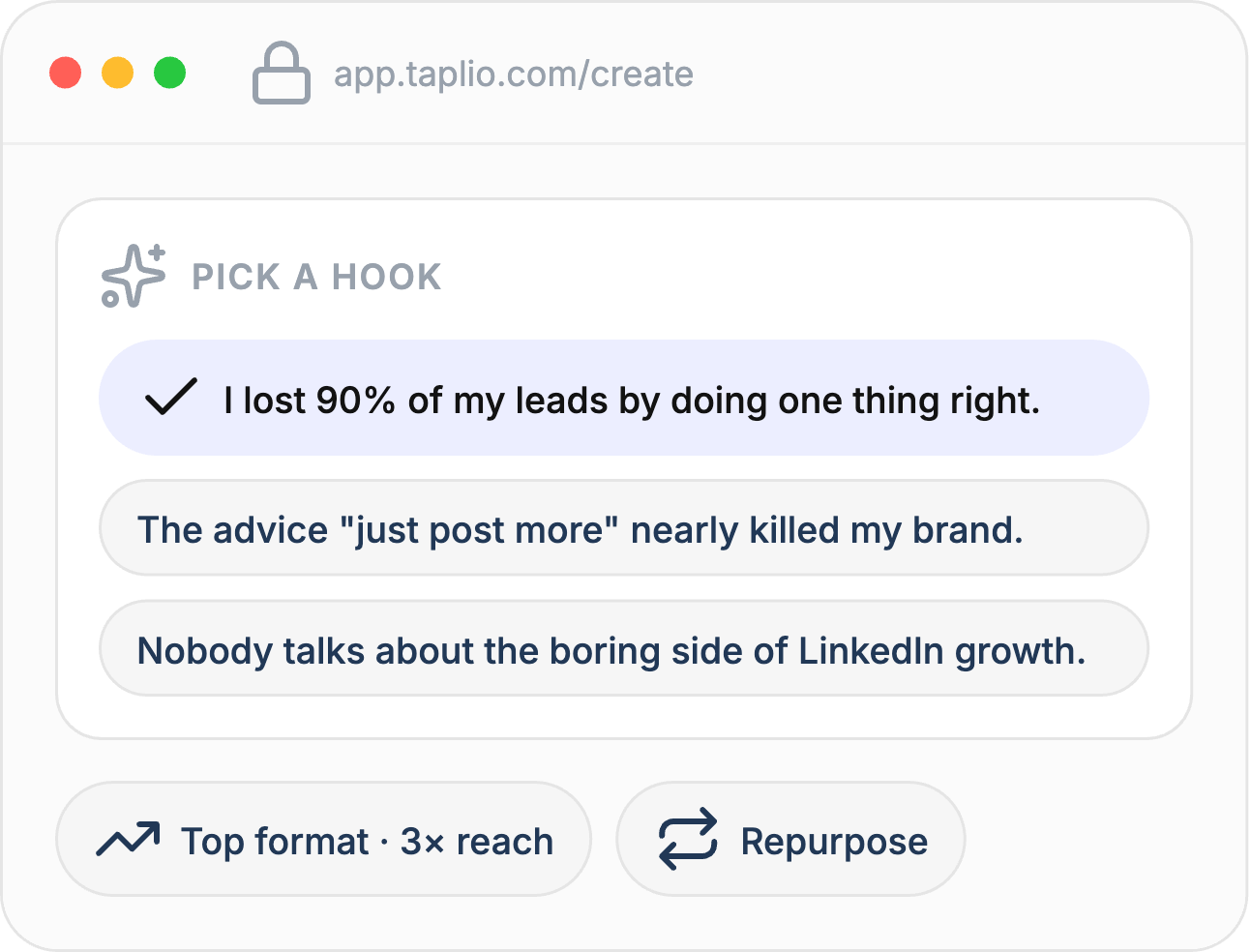
Taplio’s Pricing: Starter $39/mo, Growth $69/mo, Pro $199/mo (monthly billing); 7-day free trial.
Who It Suits: Solo founders and creators who want to grow their personal brand on LinkedIn organically and need help creating more content faster.
Limit: AI writing credits are capped below the Pro plan. Taplio also automates connection requests and DMs, which LinkedIn’s rules on automation don’t allow, so that part carries account risk.
AuthoredUp for Drafting, Formatting and Analyzing LinkedIn Posts
What AuthoredUp Does: AuthoredUp works as a Chrome extension and web editor and helps with drafting, formatting, previewing, and analyzing LinkedIn posts. It comes with an editor that lets users format their posts with bold, italics, emojis, bullets, and numbered lists. You can also preview your post before you publish and see where “see more” cuts off on mobile and desktop. It also has a library of hooks and post endings for human-written posts.
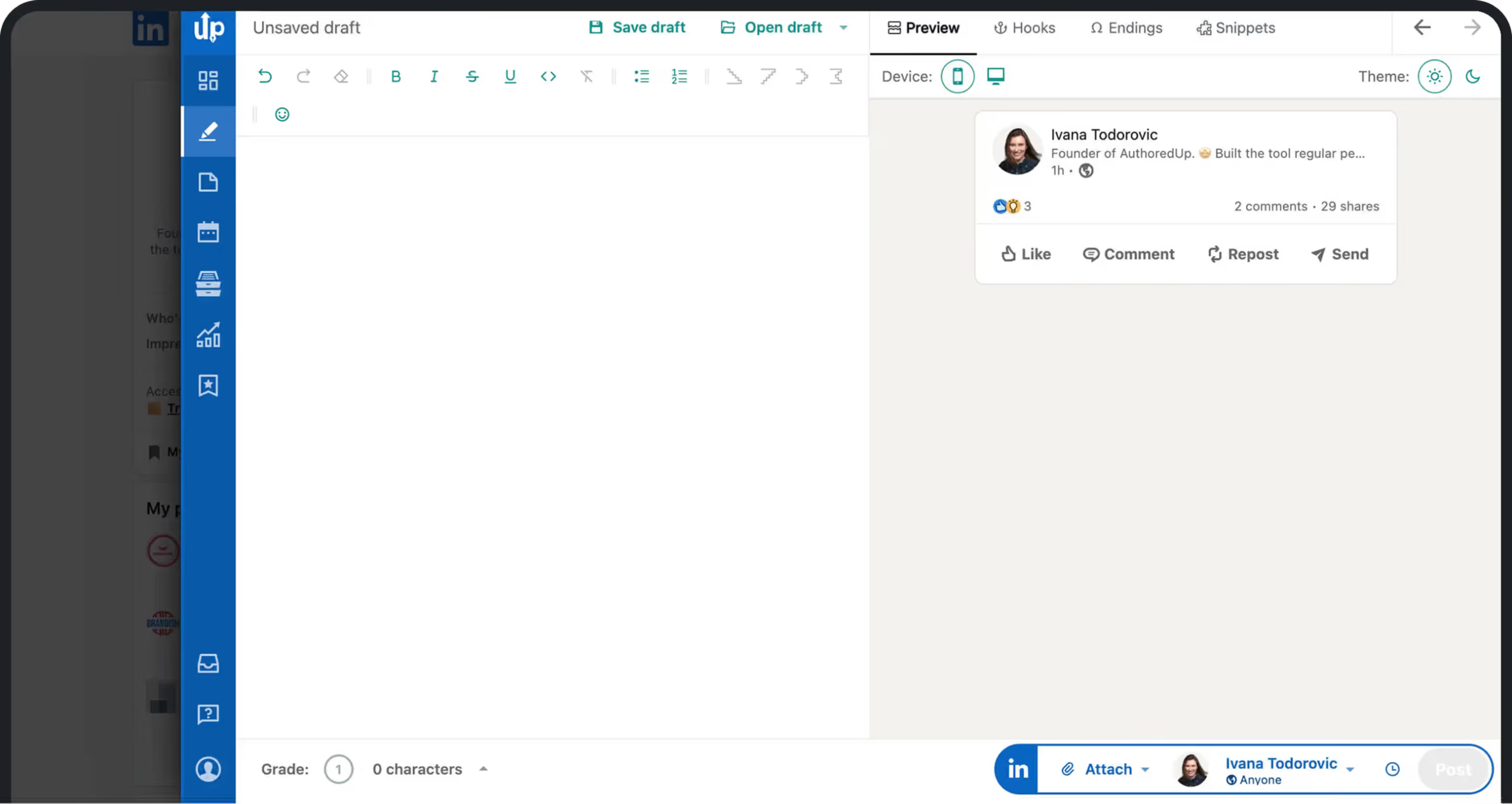
AuthoredUp’s Pricing: Individual $19.95 per profile/mo; Business $14.95 per profile/mo, minimum three profiles; 14-day free trial, no card.
Who It Suits: Solo creators and ghostwriters who publish frequently and need better text formats for their LinkedIn posts.
Limit: LinkedIn only; runs as a browser extension.
Buffer for Planning and Scheduling Posts Across Social Platforms
What Buffer Does: Buffer makes it easier for users to link their social media profiles across platforms, including LinkedIn, so they can publish and see how their posts are performing from one central dashboard. You can schedule content in advance, and it gives feedback on what’s working to help you produce high-quality and more engaging content for your pages.
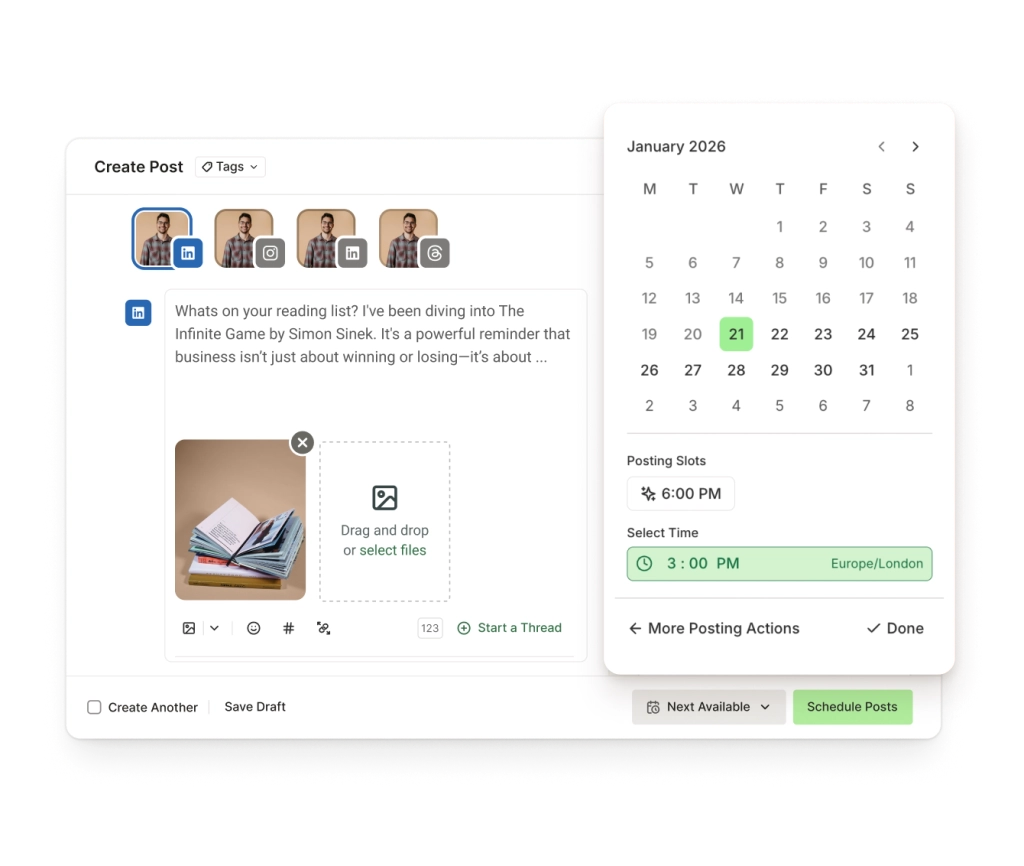
Buffer’s Pricing: Free for up to 3 channels (10 scheduled posts per channel); Essentials $5/mo per channel; Team $10/mo per channel; 14-day trial.
Who It Suits: Small to large B2B teams looking to grow their brand presence on LinkedIn and other social platforms, but on a budget.
Limit: Personal profiles don’t get advanced analytics.
Hootsuite for Managing Organic Content Across Teams
What Hootsuite Does: Hootsuite is a social media management platform that helps teams plan, publish and analyze posts. It allows for team collaboration, so content planning and approval is faster.
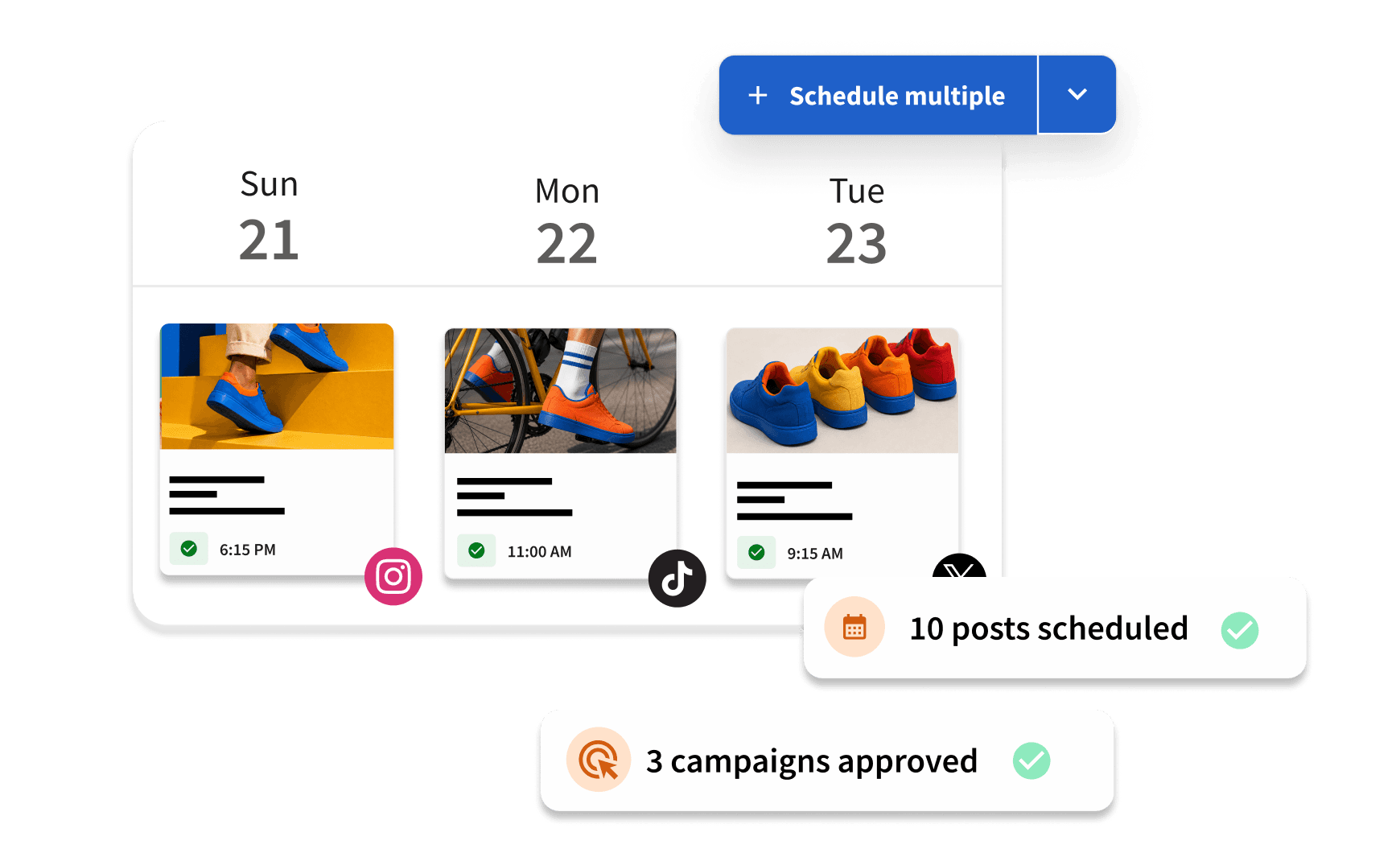
Hootsuite’s Pricing: Standard $99 per user/mo; Professional $199 per user/mo; Advanced $399 per user/mo, all billed annually; and custom prices for the Enterprise plan. Free 14-day trial for Standard, Professional and Advanced.
Who It Suits: Mid to enterprise global teams who want to publish and distribute content at scale across socials.
Limit: Team collaboration for content review and approval is only available on Advanced and Enterprise plans.
Which Tools Help With Prospecting and Outreach on LinkedIn?
Prospecting and outreach tools find new potential customers, enrich their profiles with contact information and automate outreach. They include:
Sales Navigator for Prospecting
What Sales Navigator Does: Sales Navigator is LinkedIn’s own prospecting tool that helps teams find and engage buyers at scale. With 50+ filters available, you can narrow your list to decision-makers and send them direct messages using your InMail credits. The connections filter helps you find warm prospects you are already connected with on LinkedIn. You receive alerts when your saved leads switch jobs, get promoted, or make a strategic move.
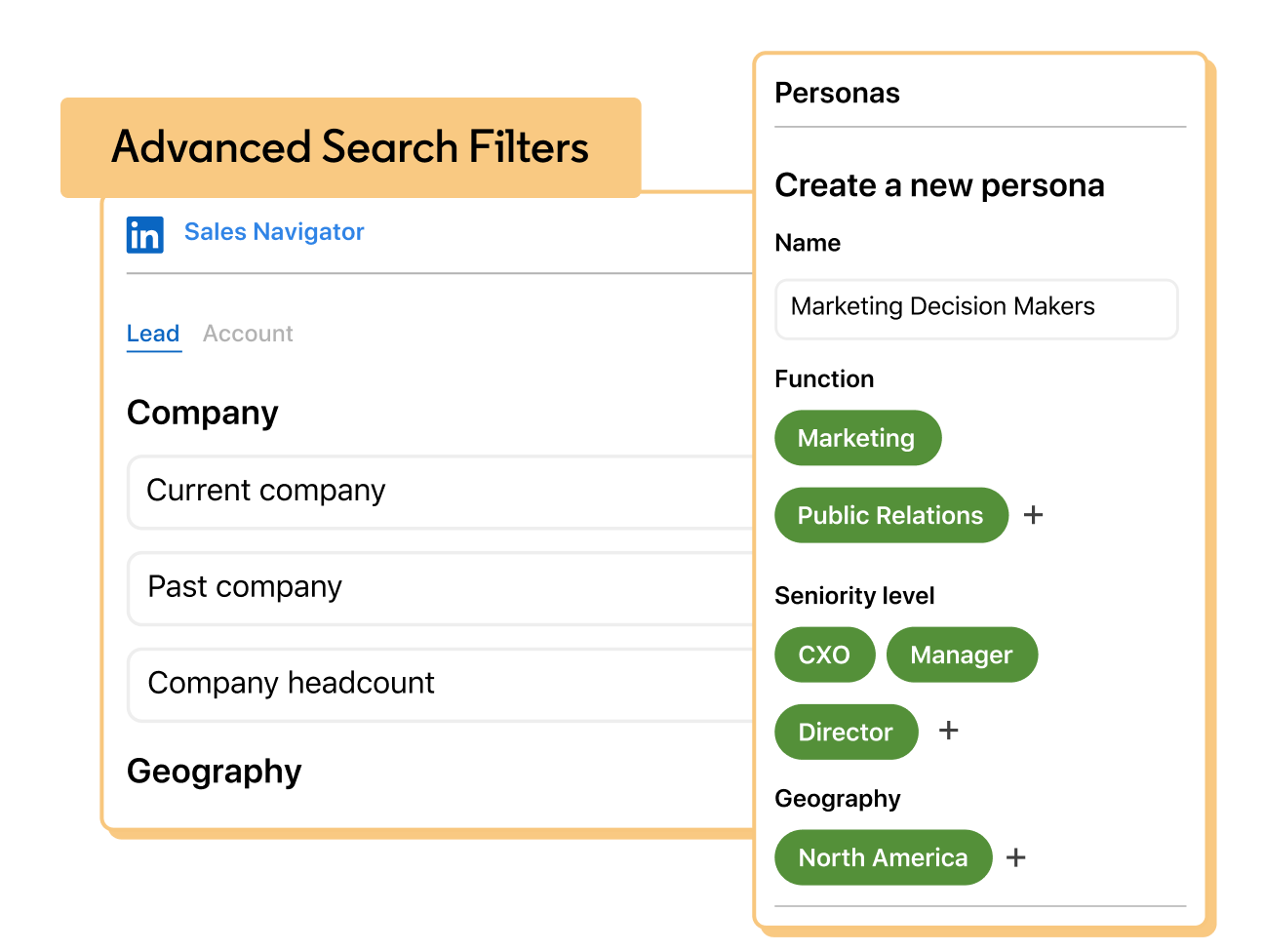
Sales Navigator’s Pricing: Core $119.99/mo or $1,079.88/yr, Advanced $159.99/mo or $1,799.88/yr and Advanced Plus by quote; free trial on Core and Advanced.
Who It Suits: B2B sales teams and account executives who want to find new prospects at scale.
Limit: Payment details needed for the trial.
Clay for List and Data Enrichment
What Clay Does: Clay builds account and contact lists and enriches them with contact and firmographic data from 150+ data providers (waterfall enrichment). Claygent researches your target accounts and can track signals such as organizational changes and buying triggers.
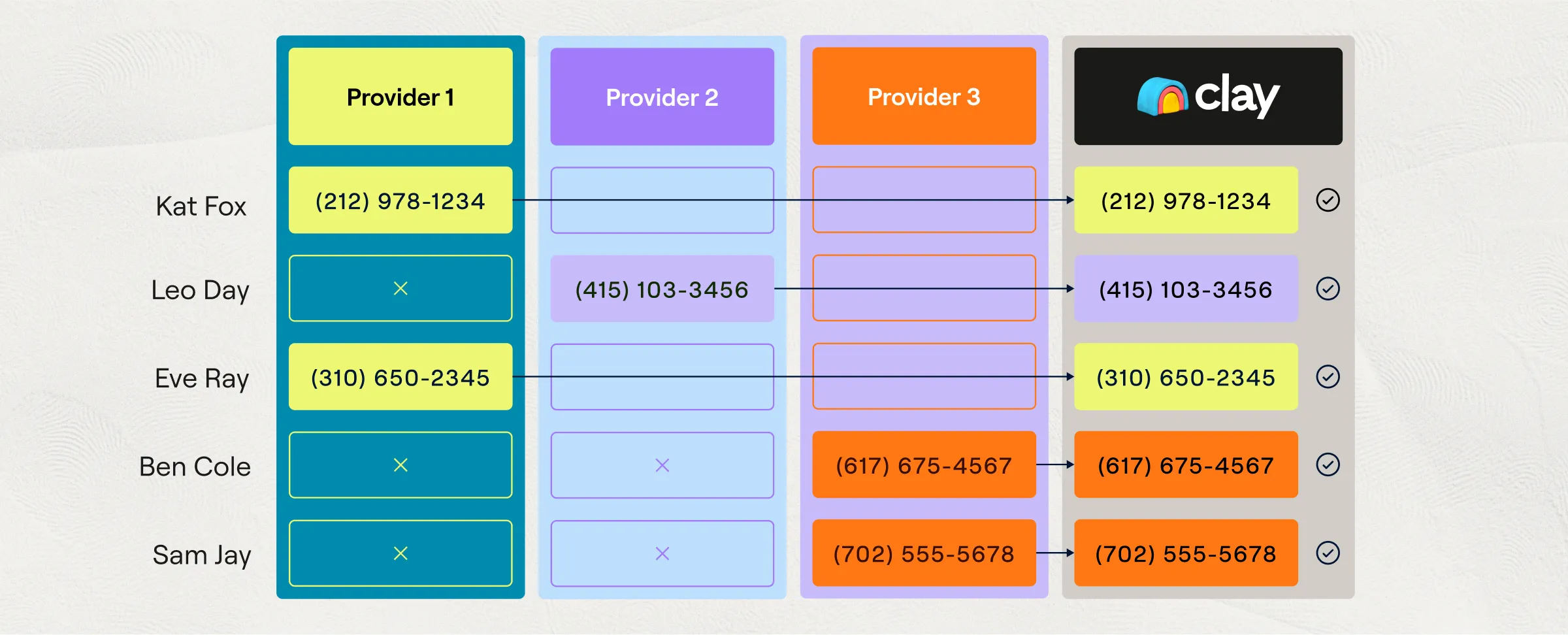
Clay’s Pricing: Free plan (500 actions, 100 data credits a month). Launch from $167/mo, Growth from $446/mo and Enterprise is custom.
Who It Suits: B2B teams who need data enrichment and ongoing account intelligence at scale.
Limit: It is credit-based, so costs grow with usage.
Expandi for Automated LinkedIn Outreach
What Expandi Does: Expandi builds lists, drafts campaigns and writes replies, all from a single prompt, through its MCP server that connects to AI chatbots like Claude and ChatGPT. It doesn’t send anything or activate a campaign without your approval. It collects consented prospect data from groups, events and posts, and engages prospects with personalized follow-up messages to keep you top of mind.

Expandi’s Pricing: Business $99/mo per seat, or $79/mo billed annually, and Agency is custom for 10+ seats, with white-label. 7-day free trial available.
Who It Suits: Sales teams, lead generation agencies and recruiters who want to automate and scale their outreach.
Limit: Costs add up fast for teams and agencies managing multiple LinkedIn profiles.
LinkedIn’s User Agreement (section 8.2) prohibits users from posting, commenting, liking, sending messages, or scraping profile data using bots, and its help article on prohibited software and extensions says doing so gives LinkedIn the right to restrict or ban your account.
Check how any of these automation tools works before you connect it to your profile.
Which Tools Help You Run and Measure LinkedIn Ads?
Campaign Manager runs the ads and reports clicks and leads; it does not show which ads influenced revenue in your CRM, making it hard for teams to prove LinkedIn ROI. Lead Gen Forms capture leads inside LinkedIn, and conversion tracking connects ads to those leads.
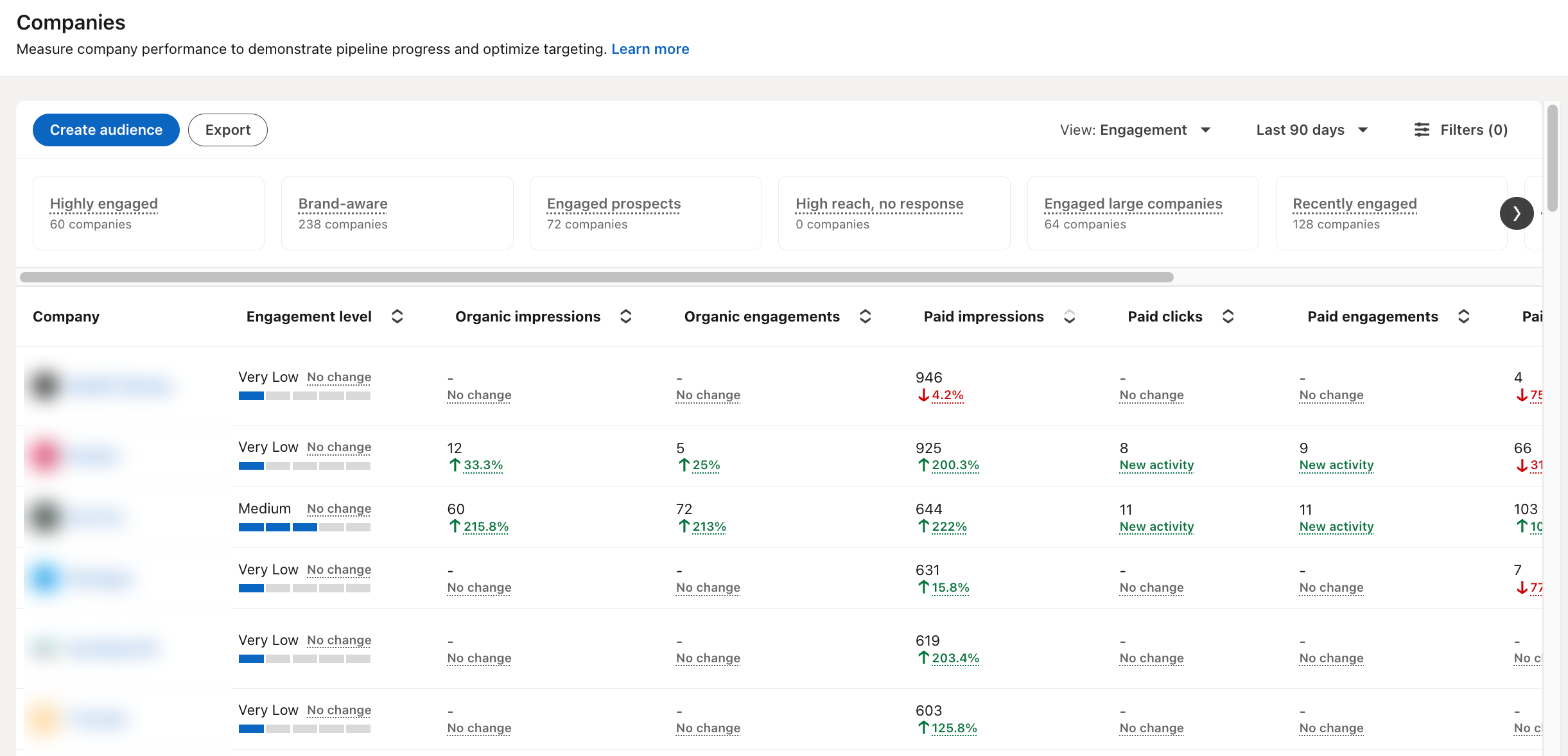
LinkedIn’s conversion window now goes up to 90 days for clicks and views, and even longer for leads and purchase events sent through CAPI or manual CSV uploads. But that attribution window is still not enough to track customer journeys fully, especially for long B2B sales cycles; hence a separate LinkedIn Ads tool is needed to connect LinkedIn ads to revenue in your CRM.
That job is revenue attribution: connecting LinkedIn ad engagement to the deals and revenue in your CRM. For a wider comparison, see our guide to B2B attribution software.
These revenue attribution tools close that gap:
DemandSense for Attribution and Delivery Controls
What DemandSense Does: DemandSense is a LinkedIn Ads intelligence platform for small B2B teams that brings three things into one place:
- Attribution: which shows the LinkedIn activity that influenced revenue in your CRM. Connects to Attio, HubSpot and Salesforce CRMs natively.
- Optimization: ad scheduling, frequency caps per company, budget guardrails, and audience tuning to protect budget.
- And website visitor identification, which identifies anonymous visitors at the account level and scores them against your ICP.
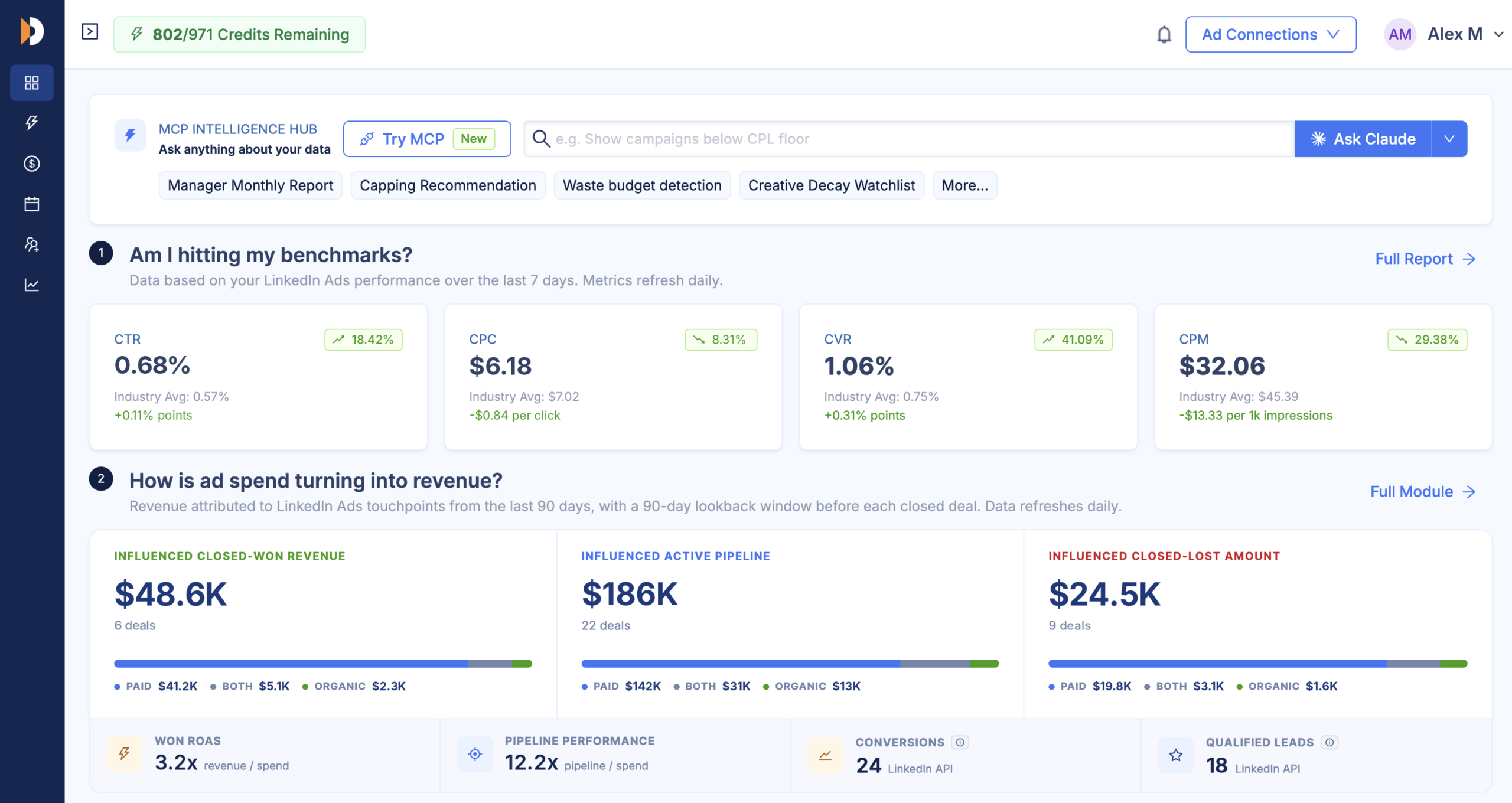
DemandSense’s Pricing: Base is $89/month with 200 credits. Plus starts at $149/month with 500 credits, and scales to $999/month for 10,000 credits. All features are available on every plan with a 30-day free trial and no card needed.
Who It Suits: Small LinkedIn-first B2B teams that need both advanced delivery controls and pipeline attribution in one place.
Limit: DemandSense’s campaign controls work on LinkedIn ads only.
Fibbler for Proving LinkedIn Ads ROI
What Fibbler Does: Fibbler sends LinkedIn ads and organic engagement data to the CRM for attribution (Google and Meta ads through add-ons), so you can see and track companies engaging with your ads across platforms, plus the campaigns they saw. It also helps with campaign optimization through ad scheduling, monthly impression cap per company, and job-title exclusions.
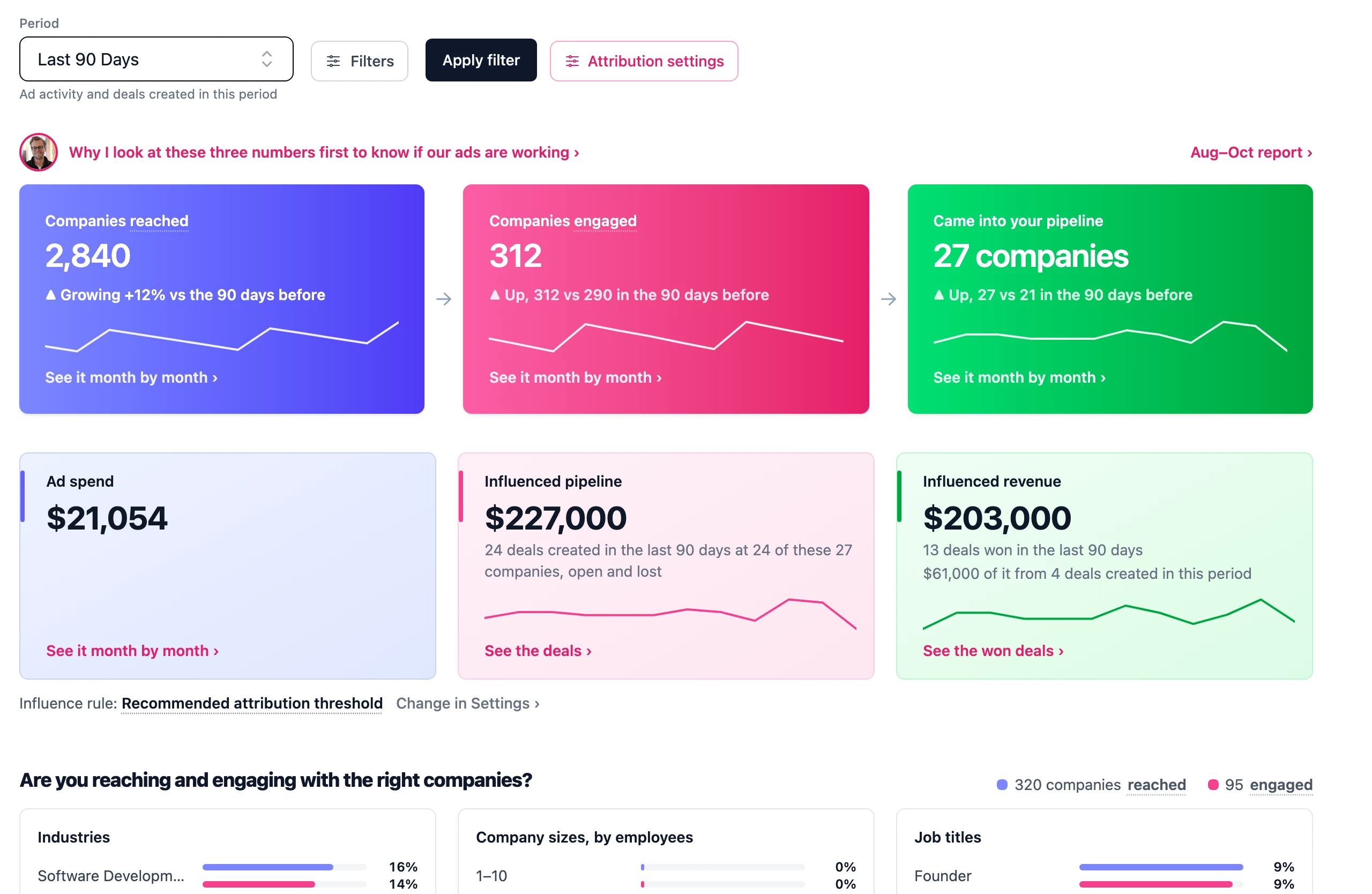
Fibbler’s Pricing: Growth $89/mo (1 user), Unlimited $129/mo, Agency $159/mo and Google and Meta attribution add-ons $59 per workspace/mo; 30-day trial, no card.
Who It Suits: B2B teams that need help proving LinkedIn ad campaign ROI to leadership.
Limit: Connecting to Salesforce, Dynamics 365 and MCP needs Unlimited or Agency plans.
Factors.ai for Account Identification and Attribution
What Factors.ai Does: Factors.ai identifies and tracks the buyer’s journey across multiple touchpoints, including those who don’t identify themselves. Its LinkedIn AdPilot syncs high-intent accounts to LinkedIn and caps impressions per company so big brands don’t eat up your budget. It syncs audiences to LinkedIn (and to Google on the Enterprise plan) and connects to the Conversions API.
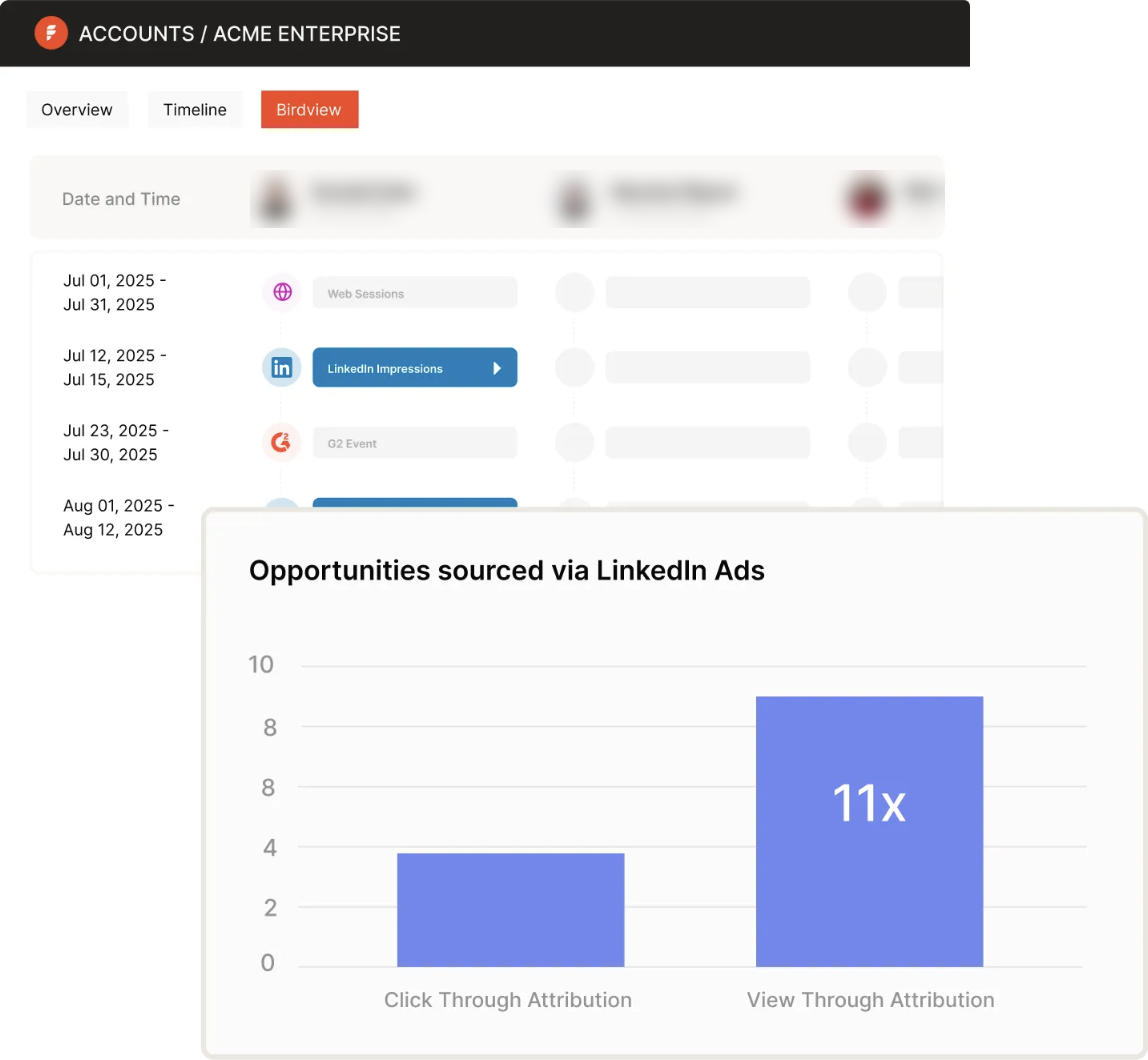
Factors.ai’s Pricing: Lite: free trial, no card; then $199/mo, Basic $6K/yr, Growth $20K/yr, and Enterprise from $36K/yr; ‘typically’ annual contracts.
Who It Suits: B2B teams running and measuring campaigns across multiple channels, including LinkedIn and Google.
Limit: The main LinkedIn controls sit on the top plan or are add-ons.
How Do You Choose LinkedIn Marketing Tools for Your Team?
Start with LinkedIn’s own tools, then add one third-party tool for each gap.
Check:
- Which job nobody owns yet: content, scheduling, prospecting, analytics, outreach
- Who will use the tools: do you need skilled personnel to run them?
- Whether it connects to your CRM: if your tools don’t talk to each other, adding more tools to the stack only makes matters worse.
- Whether you can try it free: which features can you try for free, and what is required to start the trial?
Here’s a sample stack:
| Team | Content and Scheduling | Prospecting and Outreach | Ads and Measurement |
|---|---|---|---|
| Solo marketer | Buffer | Sales Navigator | Campaign Manager only |
| Small B2B teams running LinkedIn ads | AuthoredUp | Sales Navigator + Clay for enrichment | Campaign Manager + DemandSense |
| Teams with sales prospecting | Taplio | Sales Navigator (prospecting) + Clay (enrichment) + Expandi (automated outreach) | Campaign Manager + an attribution tool connected to your CRM |
LinkedIn provides native tools that cover most of the jobs above, but they still leave gaps that can easily be filled with the right third-party tool.
If you are already running LinkedIn ads, try DemandSense free for 30 days, all features available and no card needed.
FAQ
You can use it for organic content where you set up the company page, post consistently, and monitor post performance through Page analytics. For paid campaigns, you filter your audience, run and monitor performance in Campaign Manager, use Lead Gen Forms to capture leads, and find new prospects with Sales Navigator.
The best depends on your goal and the volume and account safety the tool guarantees. Sales Navigator is for finding new prospects, Clay enriches the profiles, and Expandi automates outreach. Check how each tool works and whether they are compliant with LinkedIn’s automation guidelines before committing. See more LinkedIn automation tools that can help make your work easier.
LinkedIn’s basic tools like Company Pages, Page analytics and Campaign Manager are free to use, but you have to pay for the ads. Buffer and Clay have free plans, and others offer free trial periods with some features reserved for the paid plans or higher tiers. They include AuthoredUp, Taplio, Hootsuite, Sales Navigator, Expandi, Fibbler and Factors.ai. As for DemandSense, all features are available on every plan, and you can try them free for 30 days.