
The best website visitor tracking tools depend on which of three jobs you need done: analytics (what visitors did), company identification (which companies visited) or person-level identification (who visited, which most tools only do for US traffic). For free analytics, GA4 plus Microsoft Clarity covers most teams. For pipeline, you add a B2B identification tool, and most teams end up running one of each.
Your ads bring people to your website, but most of them leave without filling out a form, so you don’t know who they are and can’t follow up. Visitor tracking tools help you see part of that traffic, and some of them can put a company or a name to it.
Last updated 19 November 2026. DemandSense publishes this blog and is one of the tools listed; its entry uses the same format as the others and lists its limits. Every other tool’s plans, prices and coverage come from that vendor’s own pages, checked on 19 November 2026.
What Are the Best Website Visitor Tracking Tools?
The best website visitor tracking tools for analytics and behaviour are Google Analytics 4, Microsoft Clarity, Hotjar, Matomo and Plausible. For B2B visitor identification, the main options are Leadfeeder, Lead Forensics, ZoomInfo WebSights, HubSpot Breeze Intelligence, Snitcher, Factors.ai, RB2B, Warmly, Vector and DemandSense. Some identify the companies visiting your website, some identify people, and some do both, so the right pick depends on what you want to see.
Here’s how they compare:
| Tool | Category | What it tracks or identifies | Person-level geography | Free plan or trial | Starting price | Best for |
|---|---|---|---|---|---|---|
| Google Analytics 4 | Analytics | Traffic sources, pages, events and conversions | No identification | Free | Free | Tracking journeys and conversions across channels |
| Microsoft Clarity | Behaviour | Session recordings, heatmaps, rage clicks | No identification | Free, no traffic limits | Free | Seeing where visitors get stuck |
| Hotjar (Contentsquare) | Behaviour | Heatmaps, recordings, on-page feedback | No identification | Free plan; 15-day trial of Growth | $39/mo | Teams that also want visitor feedback |
| Matomo | Analytics and behaviour | Traffic, events, campaigns; heatmaps as a paid plugin | No identification | On-Premise free; Cloud trial | Cloud €29/mo | Teams that need to own and host their data |
| Plausible | Analytics | Traffic, sources, goals, campaigns | No identification | 30-day trial | $9/mo | A quick, cookie-free read on traffic |
| Leadfeeder (Dealfront) | Company ID | Companies visiting and the pages they view | Company-level only | Free Lite plan; 14-day trial | €79/mo, billed annually | Company-level identification on a small budget |
| Lead Forensics | Company ID | Companies visiting, plus decision-maker contacts from its database | Company-level only | One-week trial | Not published | Outbound sales teams |
| ZoomInfo WebSights | Company + person ID | Companies visiting with bot traffic filtered; named buyers with Buyer ID | US (Buyer ID) | Not published | Not published | Teams already prospecting in ZoomInfo |
| HubSpot Breeze Intelligence | Company ID | Companies visiting and buyer intent, inside HubSpot | Company-level only | Needs a paid HubSpot plan | HubSpot Credits | Teams running on HubSpot CRM |
| Snitcher | Company ID | Companies visiting, pages, session length, source; known visitors by name | Known visitors only (after a form fill, sign-in or tracked email) | 14-day trial | $49/mo | Small teams with low traffic |
| Factors.ai | Company ID (person ID as an add-on) | Companies visiting, intent and account scores | US, through the RB2B add-on | Free to try, no card | $199/mo after trial | Account intent across several channels |
| RB2B | Company + person ID | Name, role, company and LinkedIn profile | US only | Free plan (company-level); 7-day Pro+ trial | $79/mo | Named US visitors pushed to Slack |
| Warmly | Company + person ID | Visitors’ companies and contacts, with chat and email follow-up | Not stated | Not stated | $10,000/yr | Teams that want AI agents to engage visitors |
| Vector | Company + person ID | Contacts and accounts, turned into ad audiences | US only | None stated | $36,000/yr | ABM teams advertising to contacts |
| DemandSense | Company + person ID | Companies and people visiting, scored against your ICP | US only (companies worldwide) | 30-day trial, no card | $89/mo | Teams whose main paid channel is LinkedIn |
Person-level identification is US-only for most tools that offer it, and vendors that state a reason point to privacy law. If most of your visitors are outside the US, a company-level tool is the safer choice.
What Is the Difference Between Visitor Tracking and Visitor Identification?
Visitor tracking shows what visitors did; visitor identification tells you who they were. Tracking tools report traffic in aggregate: location and device, the pages people viewed, how long they stayed and the channel or campaign that brought them. They never name a visitor.
Visitor identification tools match visits to a company, usually through reverse IP lookup, or to a person, which most tools only do for US traffic. With a name or a company attached, sales can follow up, and you can see whether your campaigns reach the right accounts.
| Category | What it tells you | Names the visitor? | Examples |
|---|---|---|---|
| Analytics | How much traffic you get, where it comes from and what it converts into | No | GA4, Plausible, Matomo |
| Behaviour | How people use a page: scrolls, clicks, recordings, heatmaps | No | Microsoft Clarity, Hotjar |
| Identification | Which company visited and, for some US traffic, which person | Yes, as a probable match | Leadfeeder, RB2B, DemandSense |
Treat every identity match as a lead, not proof. The tools make probabilistic matches, so a name tells you who probably visited, not who certainly did.
Both kinds of tool get called “website visitor tracking tools”, and this article covers both.
Best Tools for Analytics and Behaviour
These five tell you what happens on your site. None of them tells you which company visited.
Google Analytics 4: Best for Event and Conversion Tracking
GA4 traces visitors back to the channel or campaign that brought them, the pages they viewed and the actions they took, like form submissions, clicks and downloads. That shows you which channels drive traffic and which drive conversions.
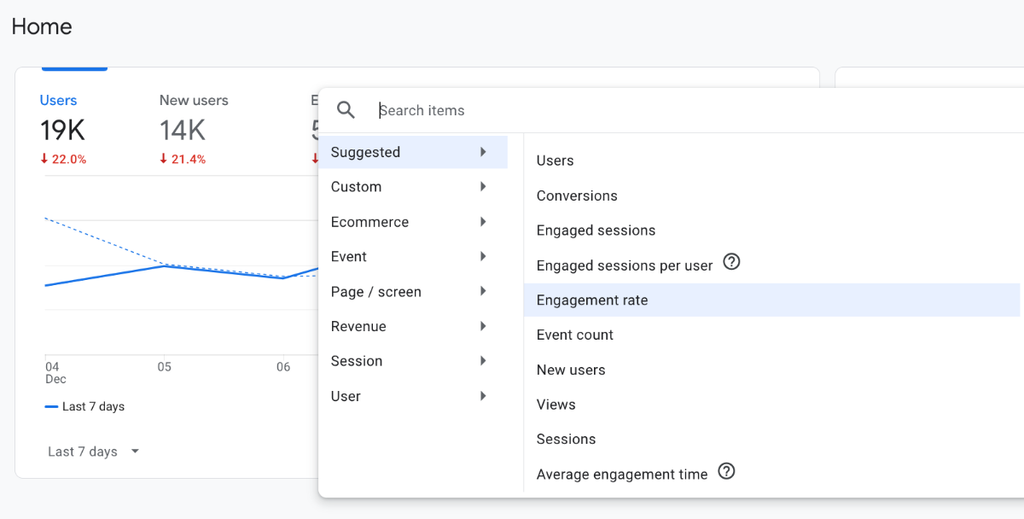
Strength: It combines website and app data, so a person who signs in on two devices shows up as one journey when you send a User-ID.
Limit: Reports are aggregate. GA4 doesn’t identify anonymous visitors.
Pricing: Free.
Microsoft Clarity: Best for Seeing Where Visitors Get Stuck
Clarity shows what visitors do once they land, through session recordings, heatmaps and rage-click detection. You see where people get stuck, where they drop off, and what they look at or skip.
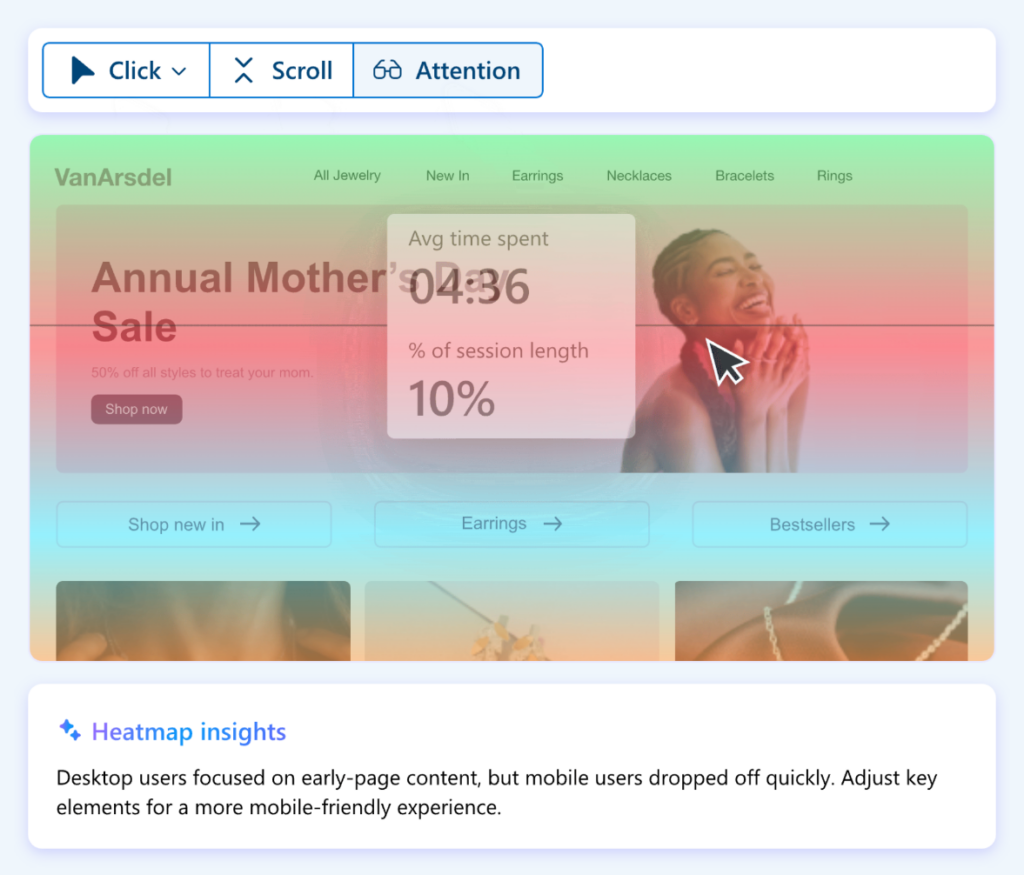
Strength: Microsoft says Clarity is free forever with no traffic limits, though it caps recordings at 100,000 sessions per project per day.
Limit: Without cookie consent, sessions are fragmented and full replays aren’t available, and Microsoft says consent is needed for users in the EEA, UK and Switzerland.
Pricing: Free.
GA4 and Clarity work well together: GA4 shows what happened, and Clarity shows why.
Hotjar: Best for Combining Behaviour With Visitor Feedback
Hotjar records sessions and builds heatmaps like Clarity, and adds on-page surveys and feedback widgets, so you can ask visitors why they left as well as watch them leave. Hotjar is now sold through Contentsquare’s plans.
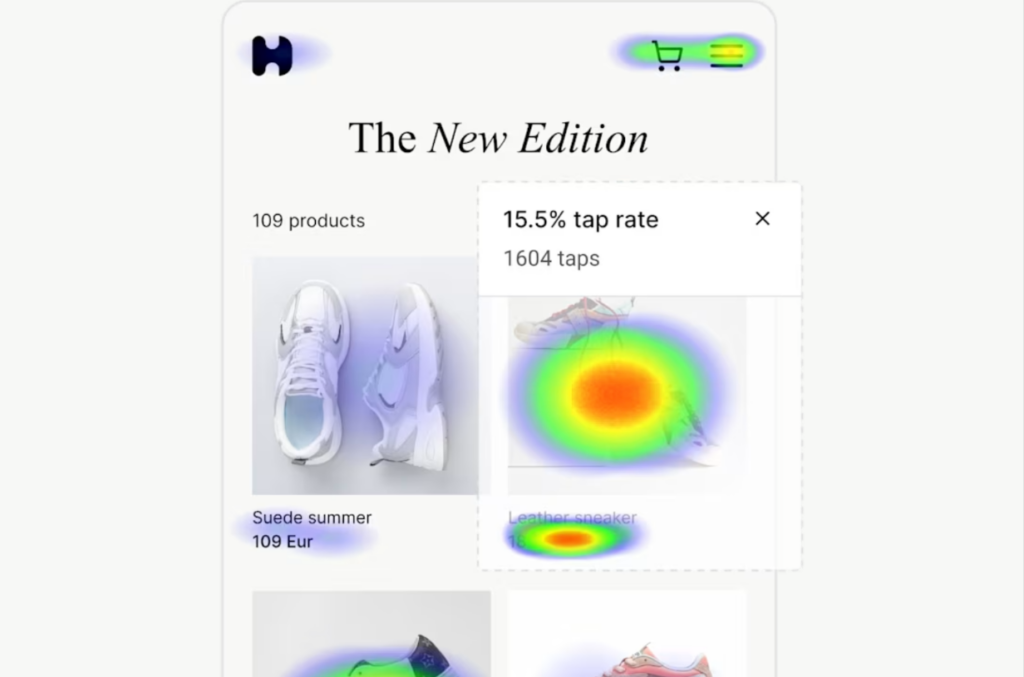
Strength: Feedback and behaviour sit in one tool.
Limit: It’s built for product and UX teams, so it has nothing on accounts or companies.
Pricing: Free plan with 200,000 monthly sessions; Growth from $39 a month; 15-day free trial of Growth, no payment details.
Matomo: Best for Teams That Need to Own Their Data
Matomo combines analytics and behaviour tracking in one platform. It tracks events, campaigns and URLs, and with its heatmap plugin it shows how visitors interact with your content.
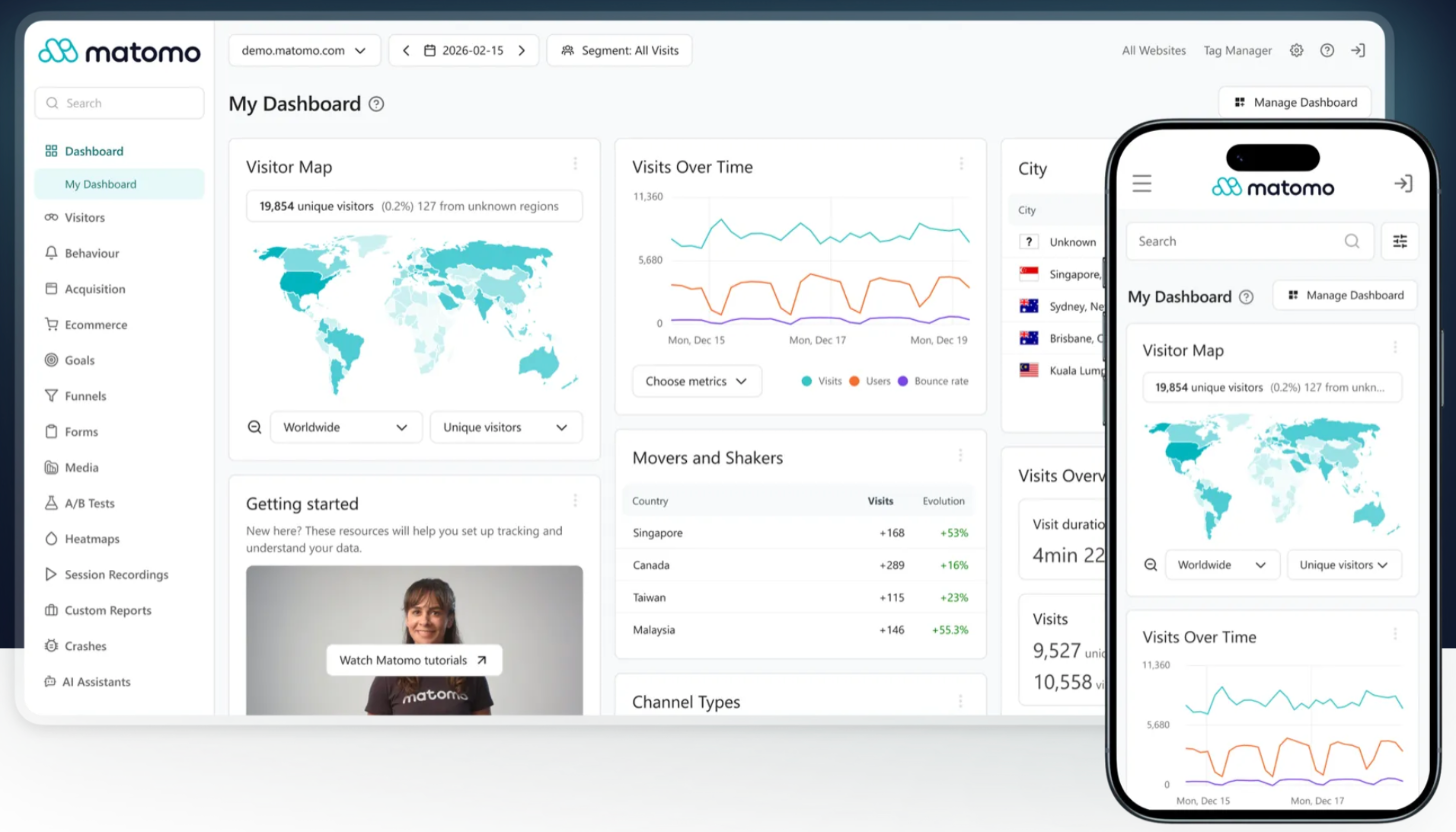
Strength: You keep ownership of your data and can host Matomo on your own servers.
Limit: The self-hosted version leaves setup, privacy and compliance to you, and heatmaps and session recording are a premium plugin, not part of the free Community plan.
Pricing: On-Premise Community is free with unlimited users and hits; Cloud starts at €29 a month (excluding tax) for 50,000 hits; free Cloud trial, no card.
Plausible: Best for a Quick, Cookie-Free Read on Traffic
Plausible gives you a short overview of traffic, sources and campaign performance, and lets you compare page views and bounce rates with the last period. The dashboard fits on one screen, you can track goals like sign-ups, and you can get weekly reports by email.
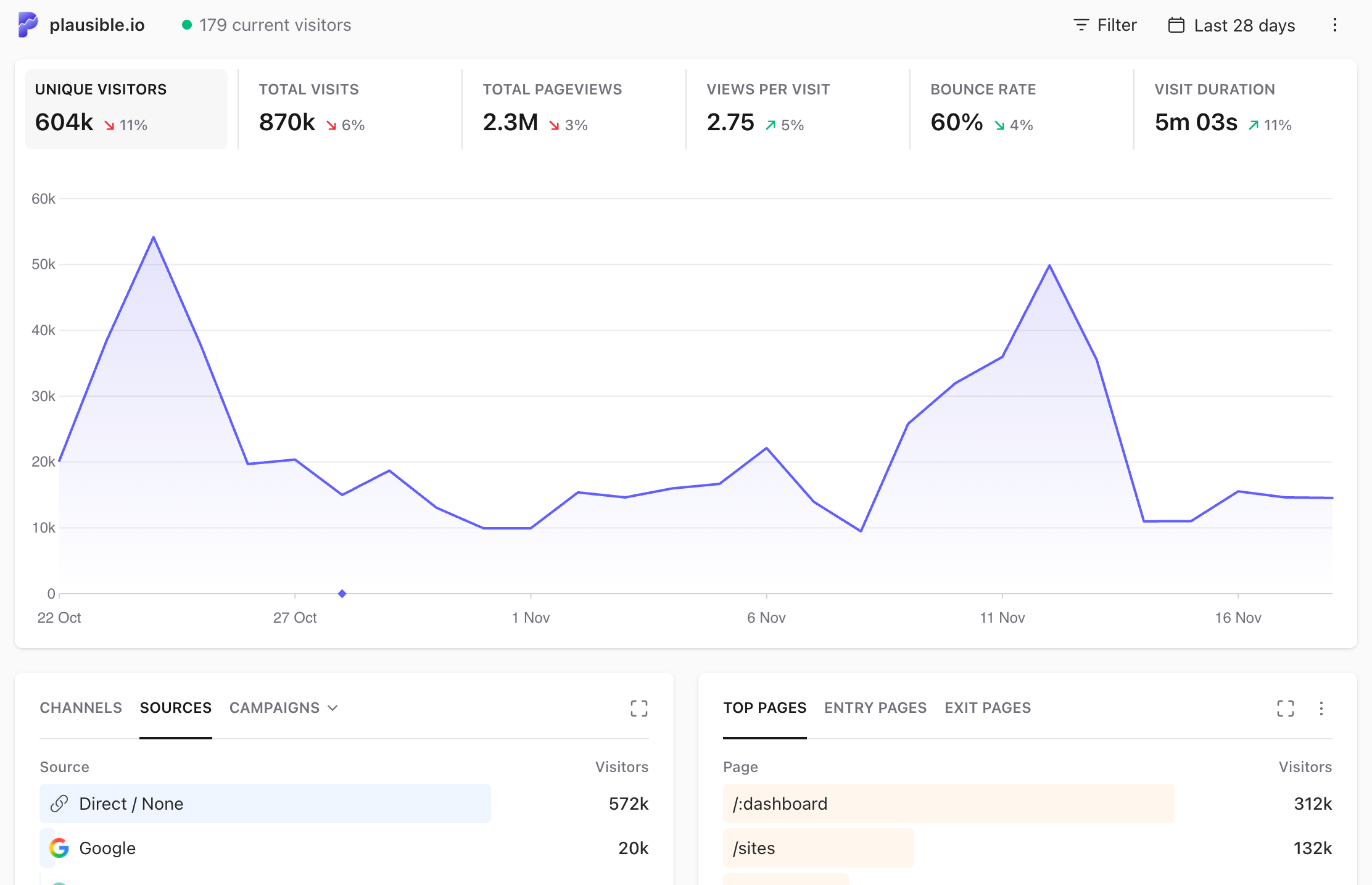
Strength: It’s built and hosted in the EU, and Plausible says it uses no cookies.
Limit: Reports are basic and aggregate.
Pricing: Starter $9 a month, Growth $14, Business $19; 30-day free trial, no card.
Best Tools for B2B Visitor Identification
Identification tools fall into three groups: company-level only, company plus person-level, and tools that also engage the visitor for you. Company-level tools come first below.
Leadfeeder (Dealfront): Best for Company-Level ID on a Small Budget
Leadfeeder shows the companies visiting your site and the pages they view, and lets you filter them by industry, size and location. It’s run by Dealfront.
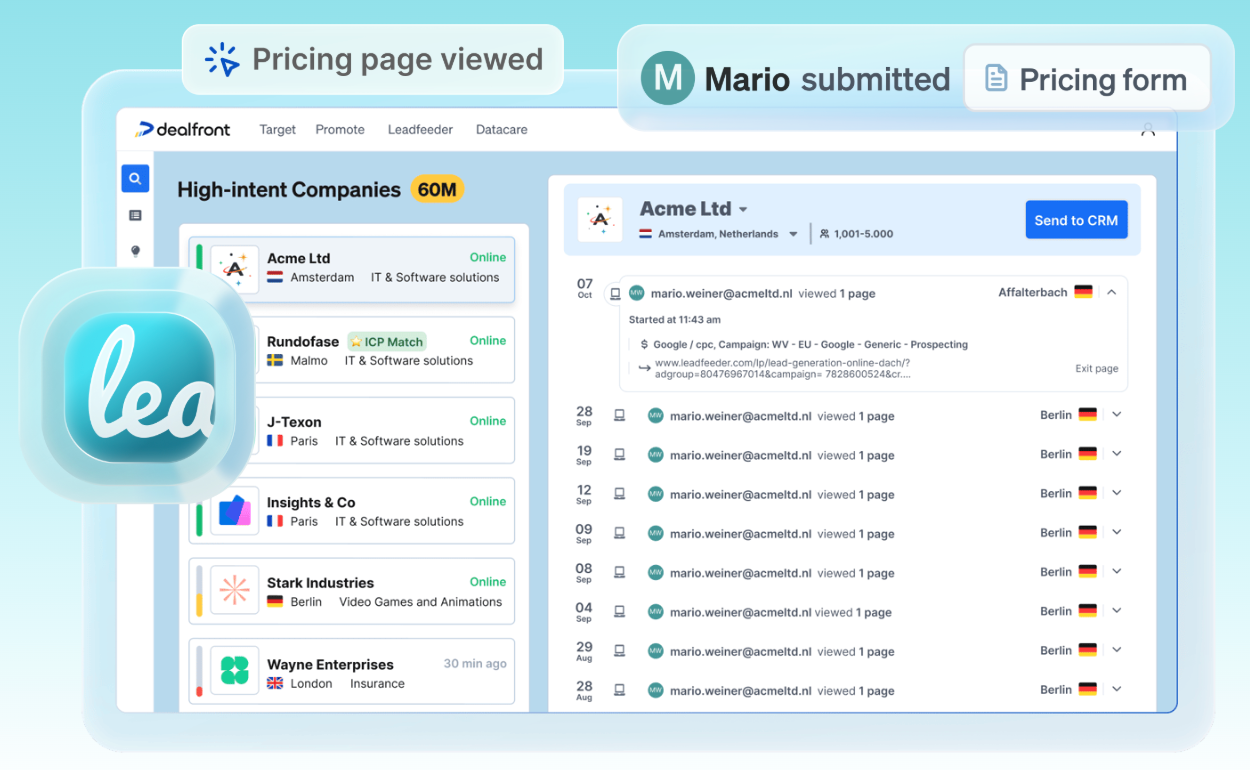
Identifies: Companies only. Contact details come from credit-based enrichment on the Activate plan and above.
Strength: The free Lite plan has unlimited users.
Limit: Lite only shows the last 100 companies a month, with seven days of visitor history.
Pricing: Lite is free; Discover from €79 a month billed annually (€113 billed monthly), priced by how many companies it identifies; 14-day free trial.
Lead Forensics: Best for Outbound B2B Sales Teams
Lead Forensics uses reverse IP lookup to identify the companies visiting your site. Its feature list includes decision-maker contact data and real-time visitor alerts.
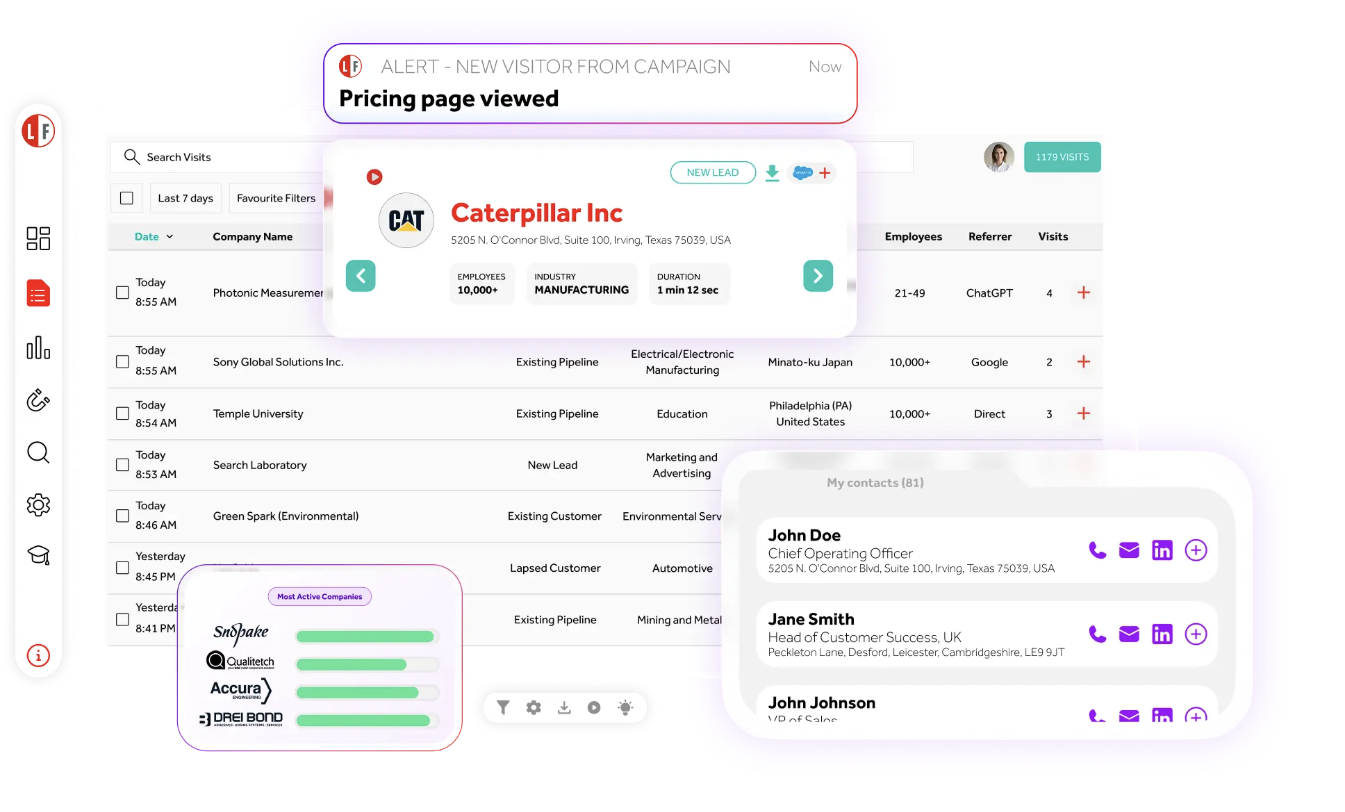
Identifies: Companies, plus contacts from its database for the companies it matches.
Strength: Users are unlimited and don’t affect the price.
Limit: The decision-maker contacts give your reps people to approach, but they don’t show who actually visited.
Pricing: Not published; the price depends on your site traffic. One-week free trial.
ZoomInfo WebSights: Best for Teams Already Prospecting in ZoomInfo
WebSights identifies the companies visiting your site and filters out bot traffic, so you see human visits only. WebSight Buyer ID adds person-level identification for US visitors and alerts your sellers when members of a buying group visit.
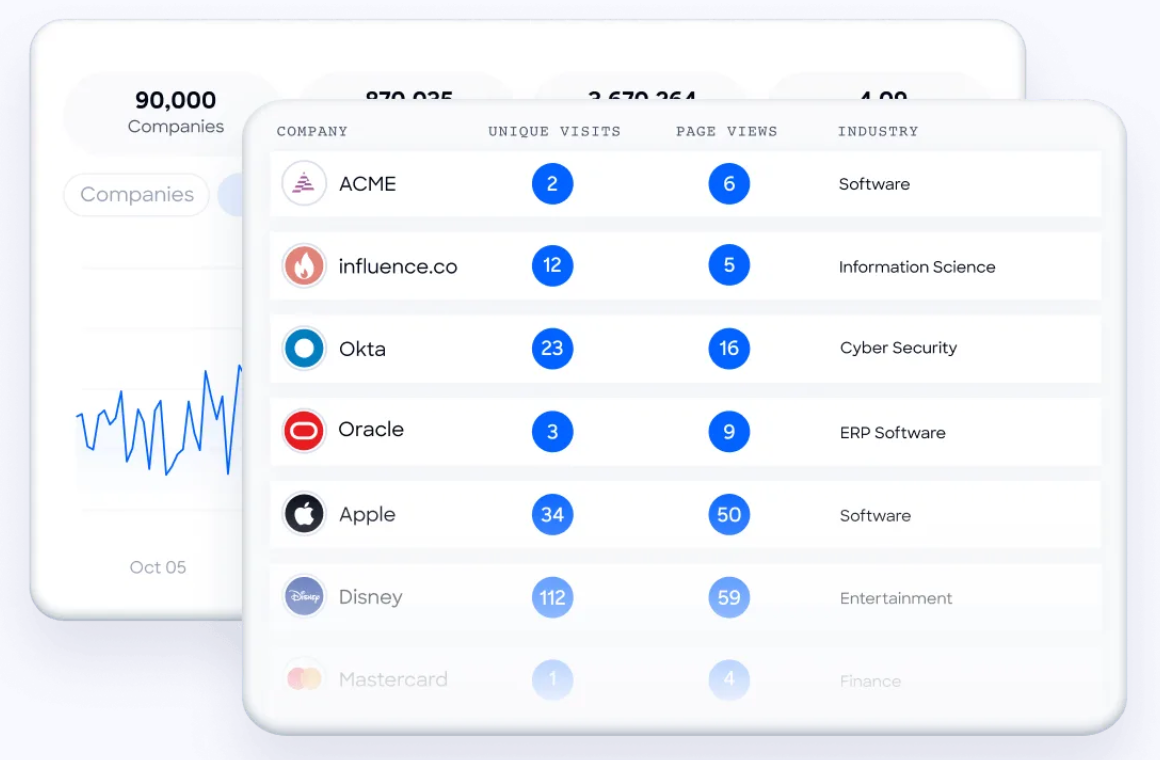
Identifies: Companies, and people on US traffic with Buyer ID.
Strength: Matches run against the same contact database your reps already use in ZoomInfo.
Limit: It only makes sense inside a ZoomInfo contract.
Pricing: Not published.
HubSpot Breeze Intelligence: Best for Teams Running on HubSpot CRM
Breeze Intelligence, which took over Clearbit, enriches contact and company records in HubSpot. Its Buyer Intent feature maps visitor IP addresses to companies and flags accounts showing interest in your site.
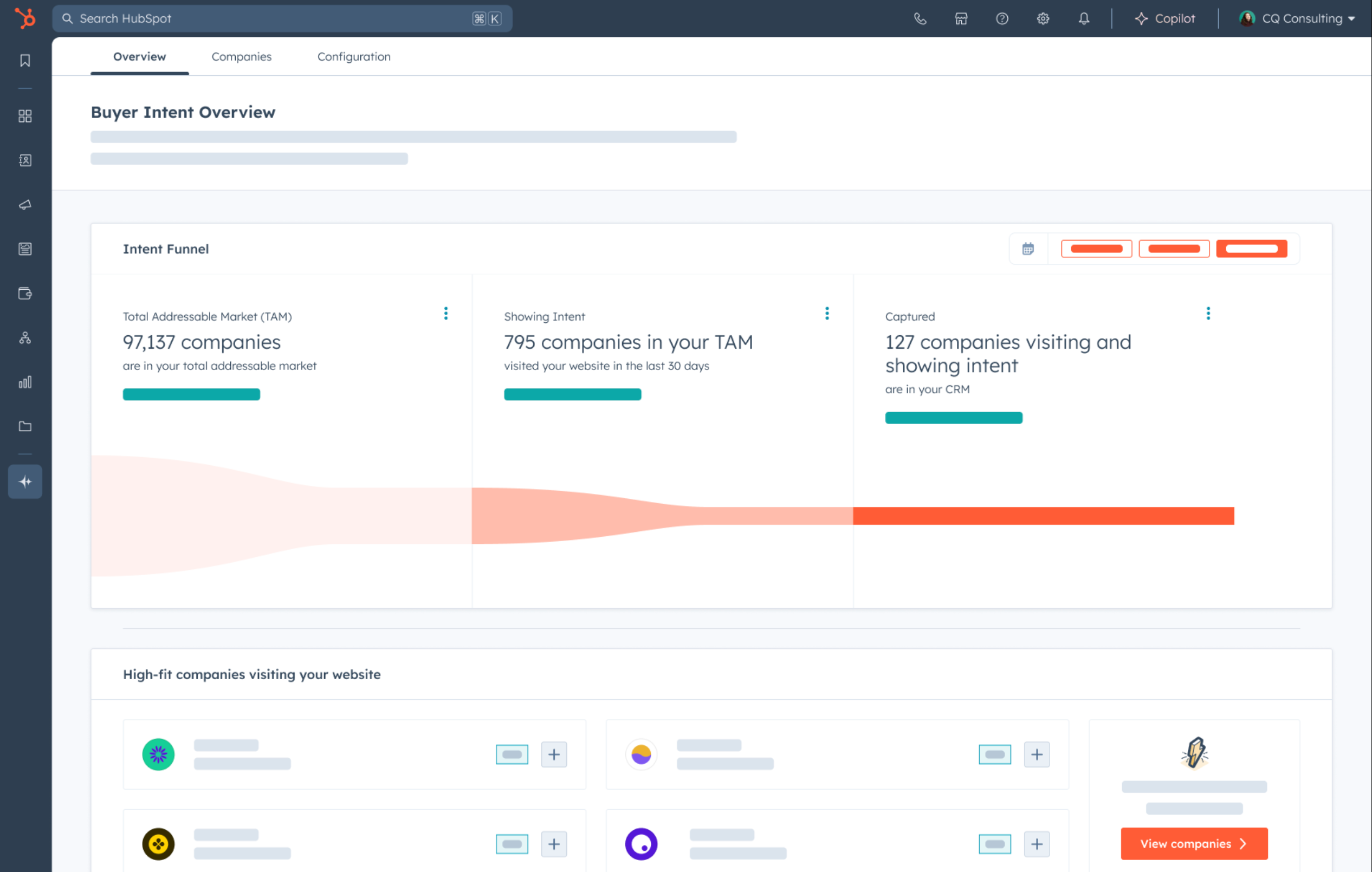
Identifies: Companies only.
Strength: Everything lands in your HubSpot CRM, so you can trigger workflows from intent without another integration.
Limit: It only works inside HubSpot.
Pricing: Needs a paid HubSpot plan; Buyer Intent uses HubSpot Credits, and how many you get depends on your plan.
Snitcher: Best for Small B2B Teams With Low Traffic
Snitcher shows the companies visiting your site, the pages they view and how long they stay. It also names known visitors after they fill in a form, sign in or click a tracked email link.
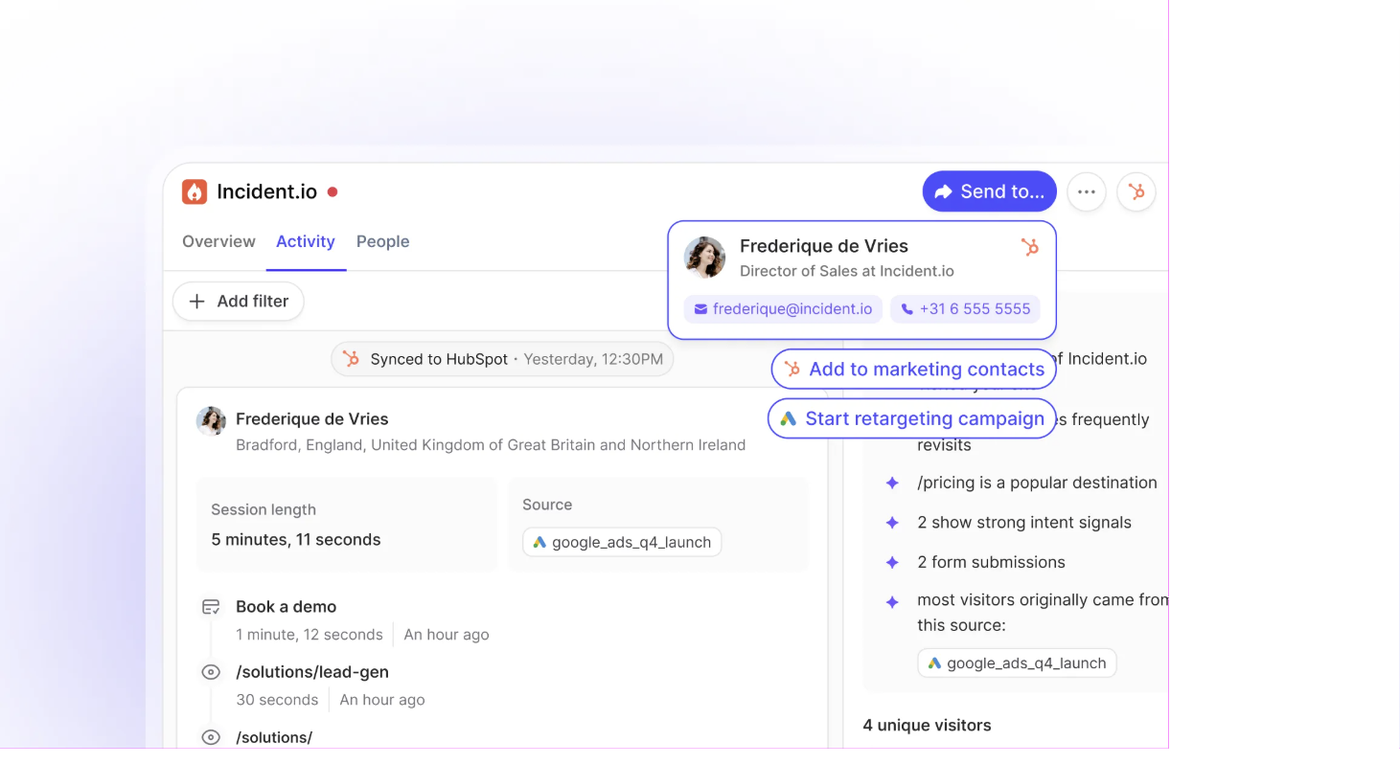
Identifies: Companies, plus known visitors by name. It doesn’t name anonymous people.
Strength: Entry pricing is low, and you can send the data to GA4 for $49 a month extra.
Limit: Price rises with the number of companies identified, and Starter includes 600 a year.
Pricing: Starter $49 a month, Scale $199, Pro from $379; 14-day free trial, no card.
Factors.ai: Best for Account Intent Across Several Channels
Factors.ai identifies the companies visiting your site through a waterfall of data providers, adds intent from sources like G2 and Bombora, and scores accounts. Factors states that its Basic plan unmasks over 75% of the companies visiting a site. That’s the vendor’s figure, not an independent one. For a fuller look, see DemandSense vs Factors.ai.
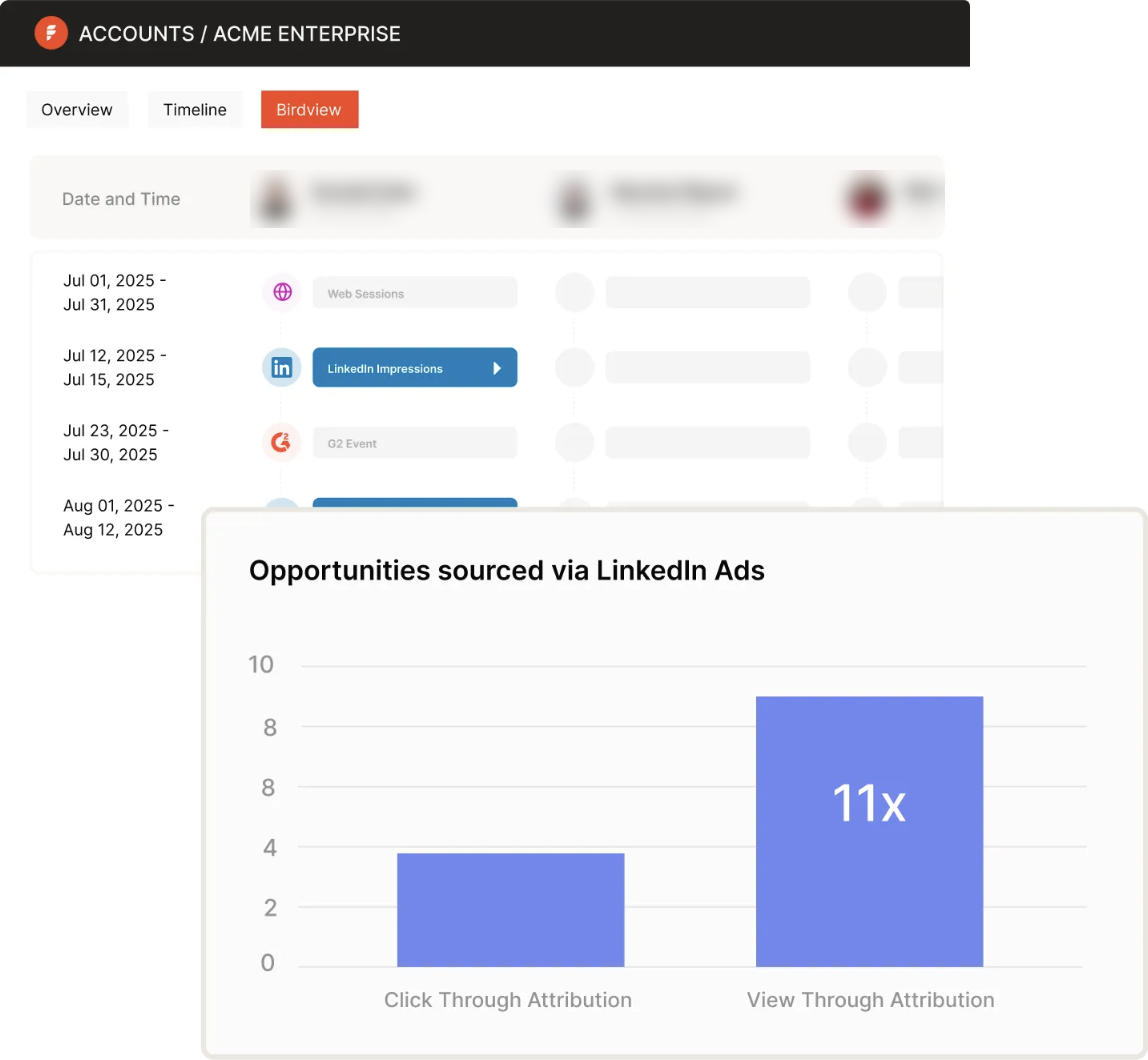
Identifies: Companies. Person-level identification is an add-on called User identification (RB2B), so its US-only limit carries over.
Strength: Website, review-site and ad engagement sit in one account view.
Limit: The plans above Lite are annual.
Pricing: Lite $199 a month after the trial (up to 1,500 companies a month); Basic $6,000 a year; Growth $20,000 a year; Enterprise from $36,000 a year. Free to try, no card.
RB2B: Best for Naming Individual US Visitors
RB2B identifies the companies on your site worldwide and, on paid plans, the people behind US visits, with name, role and LinkedIn profile. It watches “hot pages” like pricing so you can follow up on the visits that show the most interest.
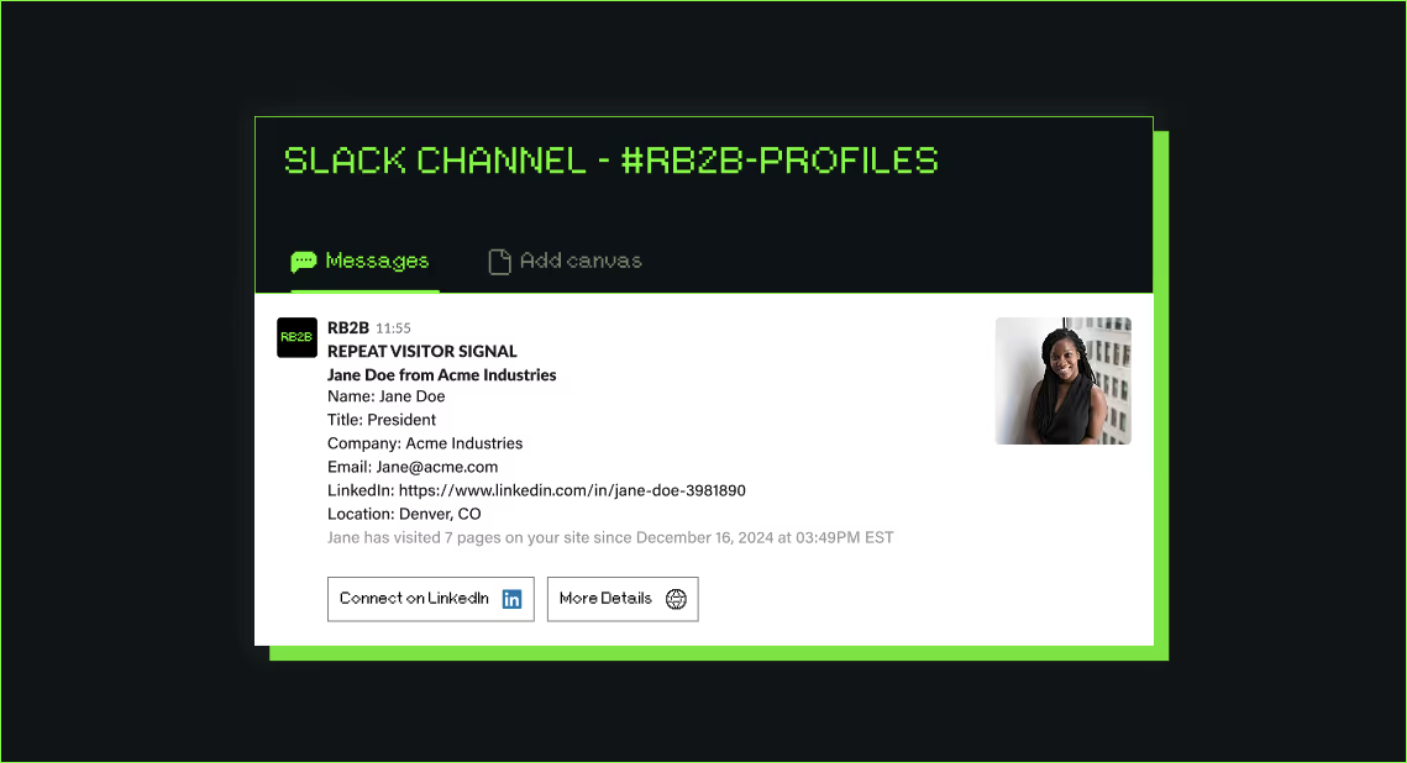
Identifies: Companies globally; people on US traffic only.
Strength: Matches go straight to Slack, and even the free plan pushes company-level matches there.
Limit: Person-level ID is US-only and starts on the paid Starter plan.
Pricing: Free plan with 150 company-level resolutions a month; Starter $79 a month; Pro from $149; Pro+ from $199. Seven-day Pro+ trial (or 1,000 credits, whichever comes first), no card.
Warmly: Best for Teams That Want AI Agents to Engage Visitors
Warmly identifies visitors at the company and person level, filters them by ICP and alerts you in Slack. Its higher plans add an AI chatbot and an Autopilot Agent that follow up by chat and email, and it can retarget visitors through email, LinkedIn and ads.
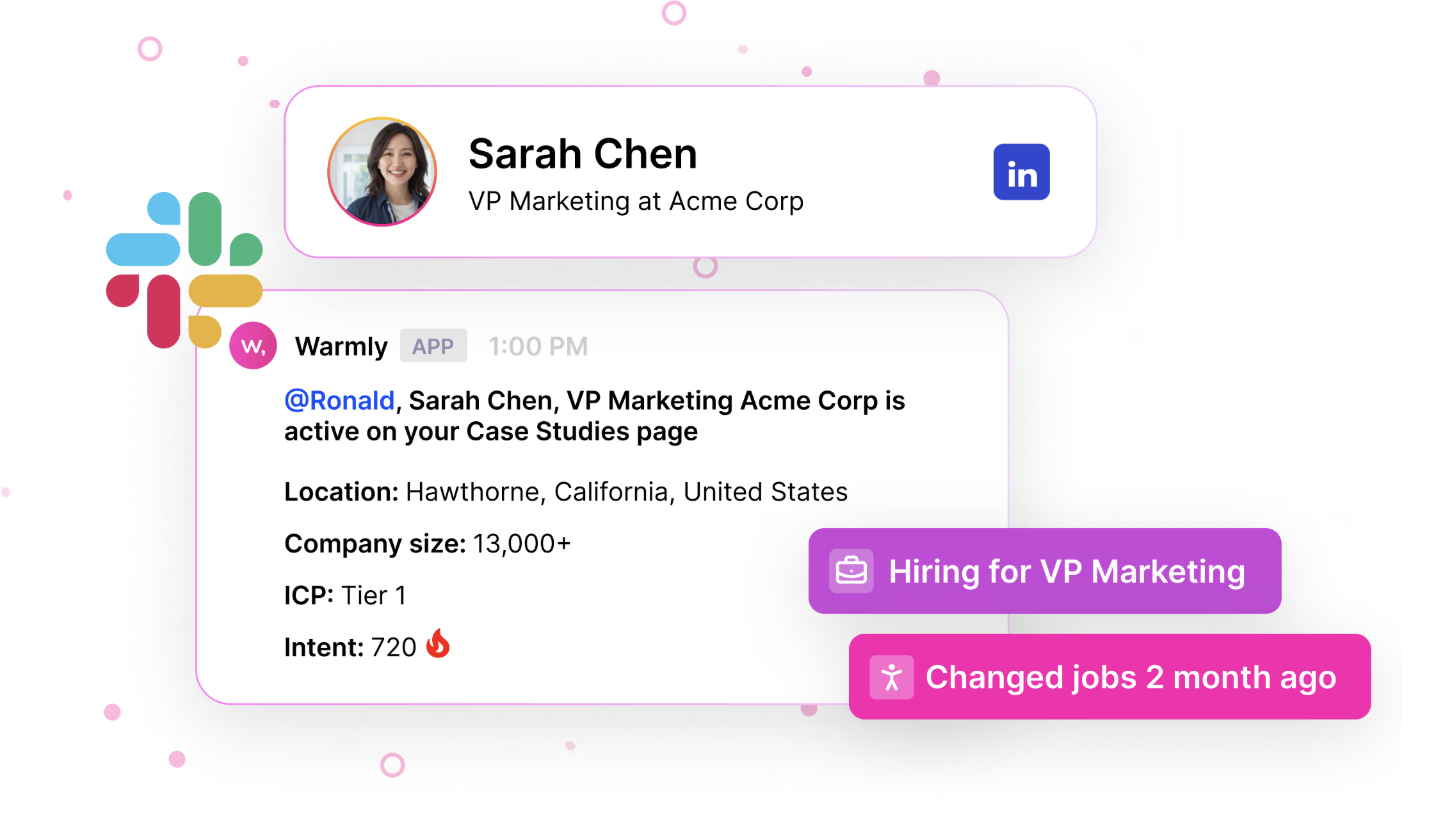
Identifies: Companies and contacts. Its pricing page doesn’t state a geographic limit for contacts.
Strength: Identification and follow-up happen in one tool.
Limit: Its entry plan costs more than any other tool’s here except Vector’s, and the AI agents start on the higher plans.
Pricing: AI Web-Deanonymization from $10,000 a year or $4,875 a quarter; Inbound Chat from $20,000 a year; AI Inbound Autopilot from $30,000 a year. No free plan or trial stated.
Vector: Best for ABM Teams Advertising to Contacts
Vector identifies visitors at the contact and account level and turns them into contact-level ad audiences, with LinkedIn and Meta named as destinations. It also tracks contact-level research signals, so your messages can match what people are reading about. For a fuller look, see DemandSense vs Vector.
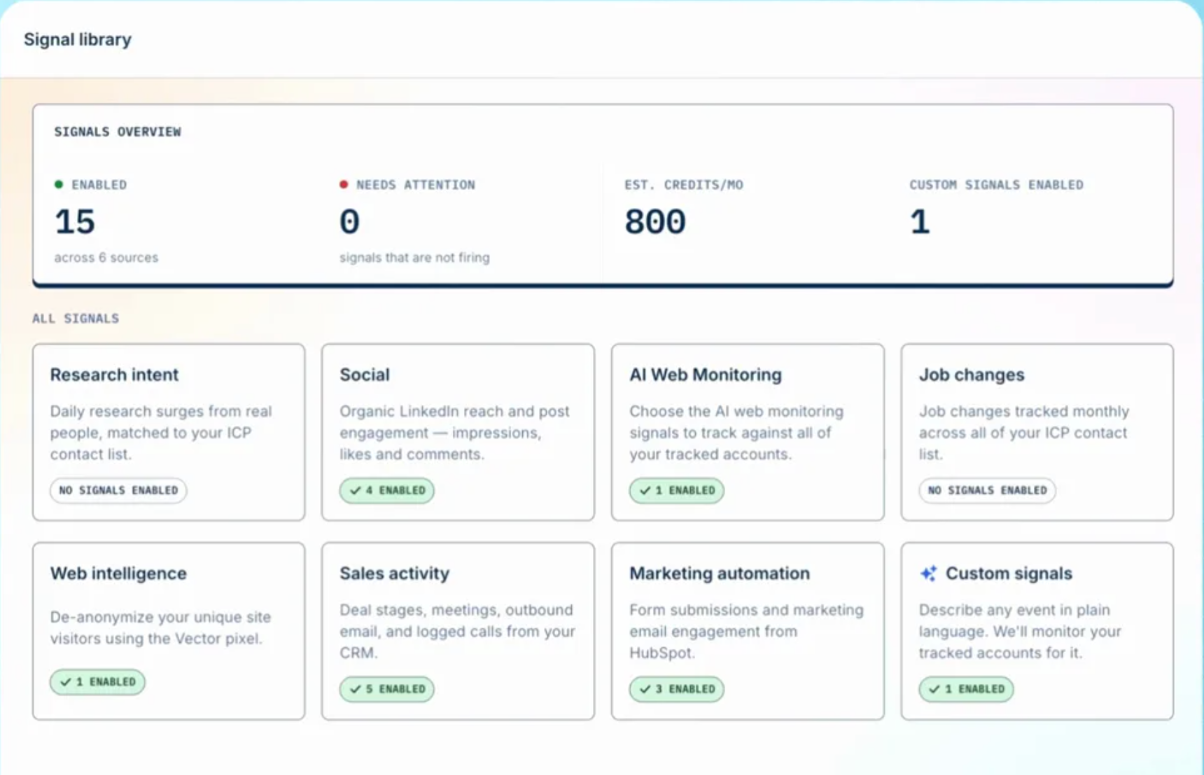
Identifies: Contacts and accounts. Vector’s help center says it is geofenced to the US and may show company-level information for EU visitors.
Strength: Identified contacts flow straight into ad audiences, and a bid agent adjusts LinkedIn bids.
Limit: It has the highest starting price in this list, on one annual contract.
Pricing: Starts at $36,000 a year on an annual contract, with plans sized by monthly site visitors and ad spend. No free plan or trial stated.
DemandSense: Best for Teams Whose Main Paid Channel Is LinkedIn
DemandSense’s Sensor Pixel shows the companies and the people on your site who never fill in a form, then shows whether they match your ICP. Every identified visitor is scored against your ideal customer profile automatically, and visits sit on the same account timeline as your LinkedIn touches and CRM deals, which helps you see what LinkedIn ads drive on your site.
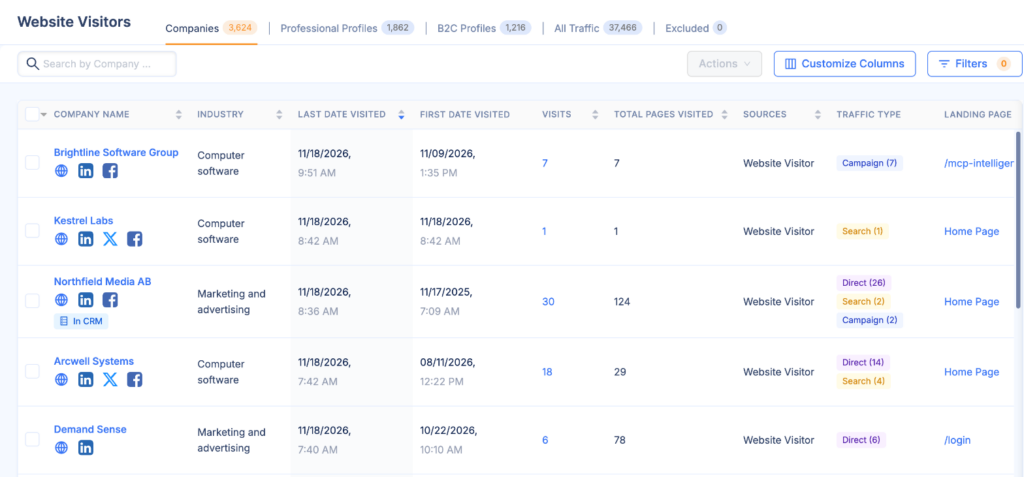
Identifies: Companies worldwide, and people on US traffic.
Strength: You can install it yourself through Google Tag Manager, without a developer.
Limit: Person-level identification works on US traffic only. It’s LinkedIn-centred, so it isn’t a tool for building ad audiences across several networks.
Pricing: Base $89 a month with 200 credits; Plus from $149 with 500. One credit unlocks one contact, and seeing which companies visit is always free. The plans differ only in monthly credits. 30-day free trial with every feature, no credit card.
How Do You Choose a Website Visitor Tracking Tool?
Choose by the job first, then by your traffic and where the data needs to go. Start here:
- Traffic and conversions: GA4 or Plausible.
- Page behaviour: Microsoft Clarity or Hotjar, or Matomo if you need to host the data yourself.
- Pipeline: an identification tool, but only if sales has a process for following up on what it finds.
When you compare identification tools, check:
- Companies, people or both. Company-level ID is enough to track account-level engagement for ABM. You need person-level ID to see whether it’s the buying committee visiting or someone junior.
- Your share of US traffic. If most visitors are outside the US, person-level tools won’t name many of them.
- ICP scoring. A fit score tells sales which accounts to call first, while they’re still interested.
- Where the data goes. It should reach your CRM, Slack or ad platform without manual exports.
- Whether you can act on it. Check that you can turn identified accounts into audiences for the ad platform you actually use.
- The pricing model. Annual contracts, traffic-based tiers and per-identification credits all scale differently with your traffic.
- Consent and data controls. Identifying people needs a legal basis, and the rules differ by country.
Then run a pilot on your own traffic for two to four weeks and count the useful ICP-fit accounts you get, not the raw number of matches.
How Much Do Website Visitor Tracking Tools Cost?
Website visitor tracking tools cost anything from nothing to $36,000 a year or more. Analytics and behaviour tools are free or cheap; identification tools run on monthly subscriptions, credits or annual contracts.
| Pricing model | Examples | What to consider |
|---|---|---|
| Free tools and free tiers | GA4, Microsoft Clarity, Matomo On-Premise, Leadfeeder Lite, RB2B Free | Free identification tiers come with caps, like Leadfeeder Lite’s last 100 companies a month, and self-hosting Matomo needs someone technical |
| Low-cost subscriptions | Plausible from $9/mo, Hotjar Growth from $39/mo, Snitcher from $49/mo | Limits on traffic or identified companies push you up the tiers |
| Credit-based plans | RB2B Starter $79/mo, DemandSense from $89/mo | Your bill follows how many visitors get identified, so check what one credit buys |
| Annual contracts | Factors.ai Basic $6,000/yr, Warmly from $10,000/yr, Vector from $36,000/yr | Annual billing costs less than paying monthly or quarterly, but it’s a big commitment up front |
Most paid identification tools offer a trial, from one week (Lead Forensics) to 30 days (DemandSense), and the trial terms differ, so check which features each one includes.
Which Website Visitor Tracking Tool Should You Choose?
Pick a tool for each job you need covered:
- Free analytics and behaviour: GA4 plus Microsoft Clarity.
- Company-level identification: Leadfeeder or Lead Forensics.
- Named US visitors in Slack: RB2B.
- Companies and US contacts, scored against your ICP, for a LinkedIn-focused team: DemandSense.
Whichever you pick, the tool only pays off if someone follows up. For that side of it, see how B2B teams turn anonymous traffic into pipeline.
To see which companies and people are on your own site and how well they fit your ICP, try the Sensor Pixel free for 30 days, no credit card needed.
FAQ
GA4 for traffic and conversions, plus Microsoft Clarity for behaviour, both free with no traffic limits. For company identification, a few tools have free tiers with caps: RB2B’s free plan gives 150 company-level resolutions a month, and Leadfeeder Lite shows the last 100 companies a month with seven days of history.
Partly. Analytics tools show activity, not identity. Identification tools can show the companies behind visits and, for US traffic, some individuals, but they make probabilistic matches, not proof that a specific person visited. Some visitors always stay anonymous, though you can still see what they did on your site.
It depends on the jurisdiction and on consent. Company-level identification is widely used, while person-level identification is generally limited to US traffic. Review your consent banner and privacy notice with counsel. This isn’t legal advice.
A company-level identification tool connected to your CRM, with person-level identification added only for US traffic and a clear follow-up process in sales. Which tool fits best depends on the job, so run the checklist above against two or three vendors and pilot them on your own traffic.